


How to Set Up Office Printing in Qatar Without Overspending
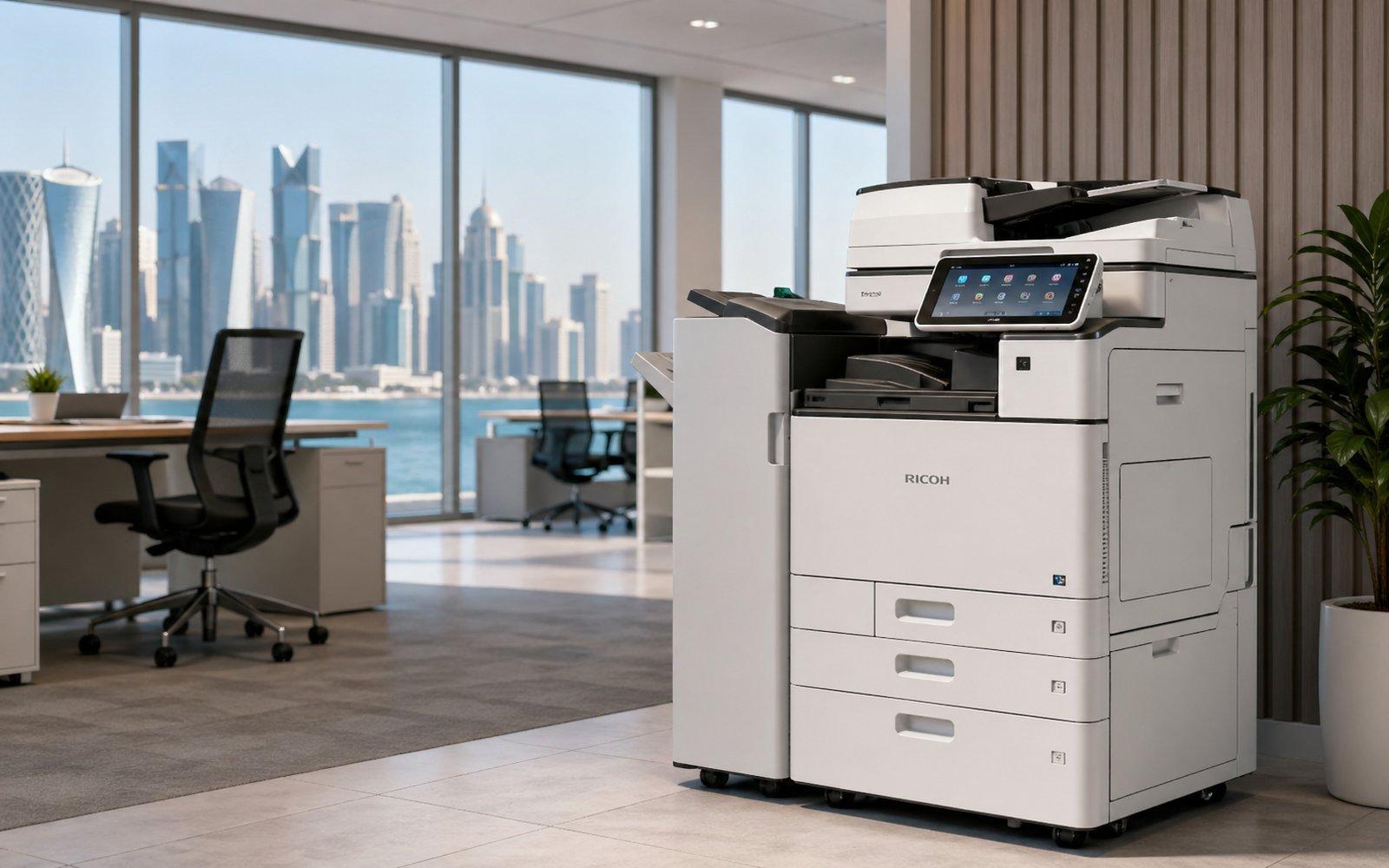
How much does the average Qatar office overspend on printing each year? Independent audits suggest 25 to 35 percent of total document output cost is avoidable waste. That waste comes from oversized fleets, wrong-tier service contracts, non-genuine consumables, and machines mismatched to actual workload.
Working with experienced Printers Suppliers in Qatar at the planning stage prevents nearly all of it. Here is how to set up an office print environment that scales properly from day one.
Step 1: Map Your Real Print Volume
Before buying anything, count what you actually print. A two-week audit reveals:
- Total mono and colour page volume
- Peak-hour and peak-day output patterns
- Department and per-user distribution
- Document types and paper sizes
- Scan and copy frequency versus print
Most Qatar offices overestimate volume by 40 to 60 percent. Audit data eliminates that guesswork.
Step 2: Right-Size the Fleet
Common mistakes include:
- Too many small desktop printers (high cost per page)
- Too few centralised MFPs (queues and frustration)
- Mismatched colour-to-mono ratio
- Over-spec on speed, under-spec on duty cycle
- Ignoring scanning workflow needs
For offices of 20 to 40 users, a typical efficient configuration includes one ricoh im c320 for colour and shared workflows. For offices of 40 to 80 users with high mono volume, adding a ricoh im 4000 for sustained mono output works well.
Step 3: Plan Network and Security
Modern printer fleets are network-connected and need:
- Static IP addresses or DHCP reservations
- VLAN segmentation from sensitive networks
- TLS 1.3 encryption on all device traffic
- Default admin passwords changed at install
- User authentication for print release
A bank in West Bay discovered three printers running default admin credentials during a routine audit. The same audit found two months of unencrypted scan traffic visible on the local network. Both gaps closed in a 30-minute reconfiguration.
Step 4: Configure Default Settings That Save Money
Set these defaults on every machine:
- Duplex (double-sided) printing as default
- Mono printing as default, colour requires override
- Toner save mode for internal documents
- Sleep mode after 5 minutes
- Secure print release for confidential output
Combined, these settings reduce paper and toner consumption by 18 to 25 percent within the first month. No new hardware required.
Step 5: Select Consumables Strategy
Genuine consumables protect machine life and warranty coverage. Working with authorised Richoh toners and cartridges in qatar suppliers ensures:
- Full rated yield from every cartridge
- Warranty protection on related components
- Consistent print quality across long runs
- Proper recycling for spent cartridges
- Traceability through manufacturer serial numbers
Cheap compatibles save 12 to 18 percent upfront and cost 25 to 35 percent more over the machine's life through reduced yield and component damage.
Step 6: Choose the Right Service Contract Tier
Three tiers cover most Qatar offices:
- Basic: 8-hour response, suitable for low-volume or non-critical machines
- Standard: 4-hour response with toner and parts inclusive, suitable for most offices
- Premium: 2-hour response with loaner guarantee, suitable for clinics, law firms, and finance
Premium contracts typically cost 25 to 35 percent more than standard. For high-stakes environments, the premium pays back the first time a machine fails on a busy morning.
Step 7: User Training That Sticks
Hardware is only as effective as the people using it. Train users on:
- Loading paper correctly (fan, align, do not overload)
- Clearing jams gently per onscreen instructions
- Using secure print release
- Reporting issues early, not after total failure
- Basic cleaning of platen glass
A 20-minute team session at install, refreshed every 6 months, dramatically reduces user-error service calls.
Step 8: Track and Review Quarterly
Set a quarterly review covering:
- Pages printed by mono and colour
- Cost per page versus contracted rate
- Top users and departments
- Service incidents and resolution times
- Toner usage versus rated yield
Quarterly visibility prevents drift back to wasteful habits within 12 months.
Real Results From a Qatar Office
A 60-person engineering consultancy in Lusail implemented all eight steps over 6 months. Outcomes:
- Annual print cost dropped from QAR 184,000 to QAR 118,000 (36 percent saving)
- Page volume reduced by 27 percent
- Service calls dropped from 14 per quarter to 4
- Colour prints fell 41 percent without business impact
- Total project payback: 4.5 months
These numbers are typical when the program is taken seriously.
Frequently Asked Questions
How many printers does a 50-person office need in Qatar? A typical 50-person office in Qatar runs efficiently with one centralised A3 multifunction machine plus one or two smaller backup printers. This setup handles 8,000 to 15,000 pages monthly, supports scanning workflows, and consolidates service contracts. Distributed desktop printers usually cost 30 to 50 percent more per page over five years.
Should every department have its own printer? Generally no. Centralised multifunction machines deliver lower cost per page, better security, and simpler service management than distributed desktop printers. Exceptions include departments handling highly confidential output (HR, executive offices, legal) where dedicated machines provide privacy. Secure print release on shared MFPs often eliminates the need for departmental printers entirely.
How long does printer setup take in a typical Qatar office? Full setup of a single multifunction machine typically takes 2 to 4 hours, including network configuration, security setup, driver deployment, and user training. Multi-machine fleet rollouts range from 1 to 5 working days, depending on complexity. Authorised suppliers should include all setup activities in the standard installation package.
Can I use my existing printers with a new supplier? Yes, in most cases. Reputable suppliers can take over service and consumables for existing machines from major brands, provided the equipment is in serviceable condition. Some manufacturer warranties require authorised service throughout the warranty period. Always confirm machine condition assessment and any transition fees before changing suppliers mid-life.
How do I budget for office printing costs in Qatar? Most Qatar offices budget 1 to 3 percent of revenue for total document output, including hardware, service, consumables, and paper. Per-employee, expect QAR 800 to QAR 2,400 annually depending on industry. Print audits typically identify 20 to 35 percent in achievable savings within the first 12 months, often paying back quickly.
For complete office print setup across Qatar, contact NGI Qatar.
Categorías
Read More
IBM researchers are collaborating with developers of secure messaging platforms like Signal and Threema to develop cryptographic systems capable of withstanding future quantum computer attacks. This partnership focuses on updating existing messaging protocols and encryption methods so that private communications remain protected even as quantum computing advances threaten current security...

HelloDumps offers the latest Netapp NS0-185 exam questions with 90 days of free updates. Trusted study material, instant access, and a 25% OFF deal to help you pass quickly. Clear Your Netapp NS0-185 Exam Faster – Get 25% OFF on HelloDumps! Don’t waste hours searching for reliable study material. HelloDumps gives you verified NS0-185 exam questions designed to help you...

Executive Summary Exercise Bike Market: Share, Size & Strategic Insights The exercise bike market is expected to be growing at a growth rate of 13.80% in the forecast period of 2022 to 2029. Exercise Bike report is structured with the best and advanced tools of collecting, recording, estimating and analysing data. The insights made available in this report are based upon SWOT analysis...

Introduction In today’s competitive market, personalization and quality craftsmanship define premium products. One item that perfectly combines functionality and branding potential is custom metal grinders. These grinders are widely used across various industries and consumer markets due to their durability, sleek design, and long-term performance. Whether for retail, promotional use, or...
As consumer preferences continue to shape the kratom industry, manufacturers are introducing products designed to offer greater convenience and consistency. One example is Opia 7 Hydroxymitragynine Opia Kratom Tablets, a tablet-based format that appeals to users looking for a opia pills and portable way to use kratom-derived products. The increasing popularity of tablets reflects a broader...