The FinOps Framework: Optimizing Azure Analytics Costs in a Multi-Tenant Environment
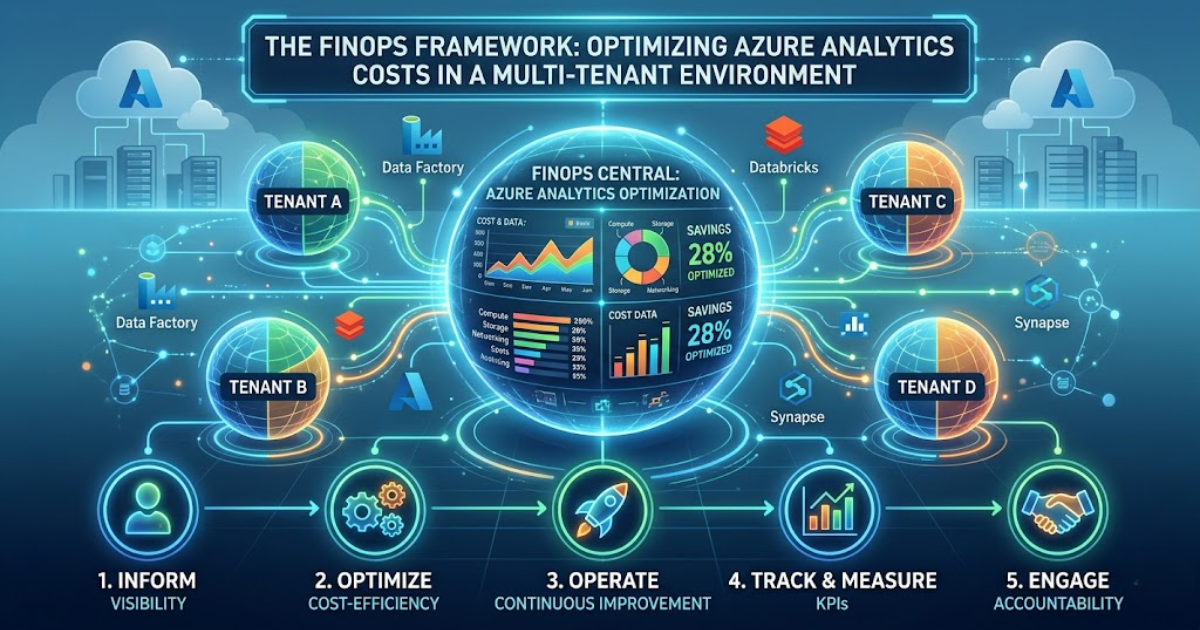
As organizations scale their digital operations, cloud spending often grows faster than revenue. In 2026, managing cloud value has shifted from simple cost-cutting to a strategic discipline. The FinOps framework provides a structured approach to this challenge. It brings financial accountability to the variable spend model of the cloud. This is especially critical for Azure Data Analytics, where massive datasets and complex compute jobs can trigger unexpected expenses.
In a multi-tenant environment, the complexity doubles. You must manage costs for different departments, clients, or product teams within a single infrastructure. This explores technical strategies to optimize Azure Data Analytics Services while maintaining high performance.
Understanding the FinOps Phases in 2026
The FinOps Foundation defines three main phases: Inform, Optimize, and Operate. Each phase requires specific technical actions within the Azure ecosystem.
1. Inform: Gaining Visibility
You cannot manage what you cannot see. The "Inform" phase focuses on allocation and visibility. In a multi-tenant setup, you must know exactly which tenant uses which resource.
-
Granular Tagging: Apply tags to every resource. Use tags like TenantID, ProjectCode, and Environment.
-
Azure Resource Graph: Use this service to query your environment for untagged resources.
-
Cost Management + Billing: This tool provides a unified view of your spending patterns.
2. Optimize: Acting on Insights
Once you have data, you must act. This phase involves reducing waste and picking the right pricing models.
-
Right-Sizing: Analyze CPU and memory metrics to ensure you aren't paying for idle capacity.
-
Commitment Discounts: Use Azure Savings Plans and Reserved Instances for predictable, long-term workloads.
3. Operate: Continuous Improvement
The "Operate" phase embeds FinOps into the engineering culture. It ensures that cost becomes a first-class requirement, just like uptime.
Technical Strategies for Azure Data Analytics Services
Different services within the Azure suite require different optimization tactics. Here is how to manage the most common big data tools.
1. Microsoft Fabric and Azure Synapse Analytics
Microsoft Fabric has seen rapid adoption, reaching a $2 billion revenue run rate by 2026. It uses a capacity-based model rather than individual resource pricing.
-
Pause and Resume: Fabric and Synapse Spark pools support autopause. In 2026, Fabric features a fixed 2-minute autopause after sessions expire. This prevents "ghost" charges when notebooks are idle.
-
Burstable Capacities: Use Fabric's ability to "burst" during high-demand periods while maintaining a lower base capacity.
-
V-Order Optimization: Enable V-Order for Parquet files. This write-time optimization improves read performance and reduces compute time during subsequent queries.
2. Azure Data Lake Storage (ADLS) Gen2
Storage costs compound quickly when dealing with petabytes of data.
-
Lifecycle Management Policies: Automatically move data between Hot, Cool, and Archive tiers.
-
Data Compaction: Large numbers of small files increase metadata overhead and query costs. Use Spark jobs to compact small files into larger, more efficient Parquet blocks.
3. Azure Stream Analytics
Real-time analytics can be expensive if not tuned correctly.
-
Streaming Units (SUs): Monitor SU % Utilization. If usage is consistently below 40%, downsize the SU allocation.
-
Reference Data Joins: Use static reference data to enrich streams instead of performing expensive real-time lookups in external databases.
Optimizing Multi-Tenant Architectures
Managing multiple tenants requires a balance between isolation and cost-sharing.
1. Shared Capacity vs. Isolated Clusters
In a "Shared Capacity" model, all tenants use a large, centralized cluster. This is cost-effective because it averages out the "peaks and valleys" of usage. However, it requires a robust "Showback" mechanism. You must use resource logs to attribute costs back to each tenant.
In an "Isolated" model, each tenant gets their own workspace or cluster. This provides perfect cost isolation but leads to significant waste. Many small, idle clusters are more expensive than one large, busy one.
2. Implementing Unit Economics
A mature FinOps practice moves beyond total spend. It focuses on "Unit Economics." This means measuring the cost per meaningful business action. Examples include:
-
Cost per 1,000 records processed.
-
Cost per customer report generated.
-
Cost per gigabyte stored per tenant.
If your total bill increases but your "Cost per Report" decreases, your efficiency is actually improving.
Leveraging AI for Cost Governance
By 2026, AI has become the top forward-looking priority for FinOps teams. 98% of organizations now manage AI spend.
1. Copilot for Data
Microsoft Copilot now helps engineers write more efficient SQL and Spark code. Poorly written queries are a major source of waste in Azure Data Analytics. A query that scans 10TB instead of 100GB costs 100 times more. Copilot identifies missing filters and suggests partition pruning to save money.
2. Automated Anomaly Detection
Traditional budgets use fixed thresholds. Modern FinOps uses Machine Learning to detect anomalies. If a tenant’s usage spikes on a Tuesday at 2 AM, the system flags it. This allows teams to stop "runaway" queries before they drain the monthly budget.
Financial Facts and Industry Benchmarks
Industry data from the State of FinOps 2026 highlights the current landscape:
-
Waste Reduction: Workload optimization remains the #1 priority for cloud teams.
-
Discount Adoption: Top-tier firms achieve over 70% "Commitment Coverage" using Savings Plans and RIs.
-
Savings Potential: Moving from Database VMs to Elastic DBs can cut costs by up to 40%.
-
Spot Instances: Utilizing Spot VMs for fault-tolerant batch processing can save up to 90% compared to standard pricing.
Best Practices for Technical Stakeholders
To succeed with Azure Data Analytics Services, engineering and finance must speak the same language.
-
Establish Guardrails: Use Azure Policy to block the creation of expensive, non-standard resource types.
-
Schedule Non-Prod Workloads: Shut down development and testing environments during off-hours. This simple step can reduce non-production costs by 65%.
-
Unified Reporting: Adopt the FOCUS (FinOps Open Cost and Usage Specification) standard. This ensures consistent data across different cloud providers and SaaS tools.
Technical Pitfalls to Avoid
-
Over-Provisioning: Most teams over-provision for peak capacity. Use autoscaling to match resources with actual demand.
-
Ignoring Networking Costs: Egress fees—moving data out of the Azure region—can be a hidden budget killer. Keep your storage and compute in the same region.
-
Orphaned Resources: When you delete a VM, the attached managed disks often remain. These "orphaned" disks continue to generate costs every month.
Case Study: Multi-Tenant Efficiency in Retail
A global retail provider managed 50 different brand tenants on a single Azure environment. Their monthly bill for Azure Data Analytics was rising by 15% each month.
They implemented a "Gold-Silver-Bronze" tiering system. "Gold" tenants received dedicated Synapse SQL pools. "Silver" and "Bronze" tenants shared a single, larger serverless pool. This move consolidated idle resources.
Next, they applied automated tagging through Azure Data Factory. They attributed every pipeline run to a specific brand. Within four months, the company reduced unallocated spend by 80%. They used the savings to fund a new AI-driven recommendation engine. This proves that FinOps is not about spending less; it is about spending smarter.
Conclusion
The FinOps framework is more than just a set of tools. It is a cultural shift. In a multi-tenant environment, every engineer's code has a financial impact. By integrating Azure Data Analytics with deep financial visibility, organizations protect their margins.
Optimizing Azure Data Analytics Services requires continuous effort. You must inform your teams, optimize your resources, and operate with efficiency. The goal is to maximize the value of every dollar spent in the cloud. As AI and big data continue to grow, the companies that master FinOps will be the ones that lead the market. Start your optimization journey today by looking at your unallocated spend. Small changes in your data pipeline can lead to massive shifts in your bottom line.
Категории
Больше
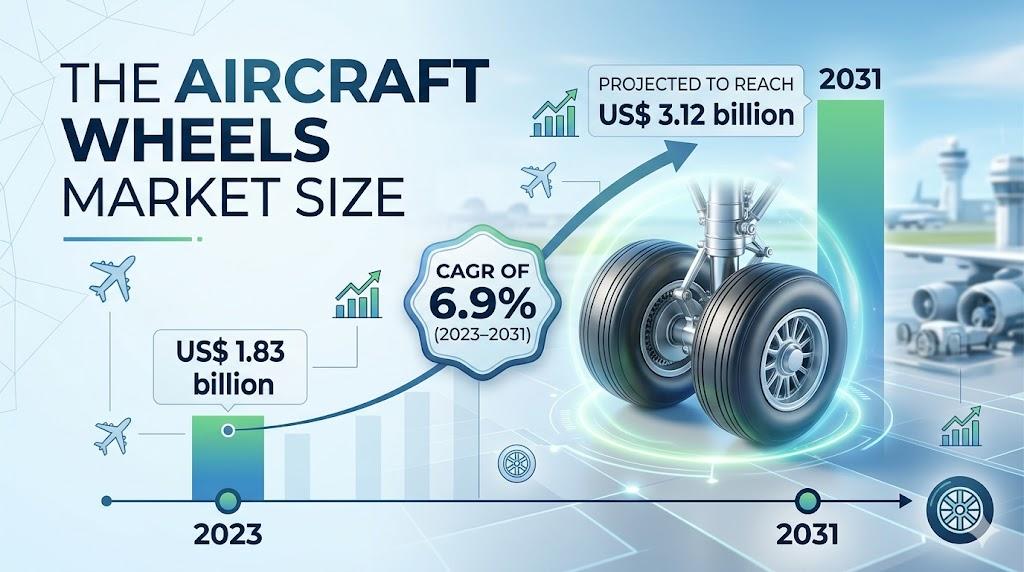
The aviation industry is witnessing a significant transformation as global air travel returns to and exceeds pre-pandemic levels. A critical component of this ecosystem is the aircraft wheels market , which plays a vital role in ensuring the safety, efficiency, and reliability of aircraft during takeoff, landing, and ground operations. As airlines expand their fleets and...
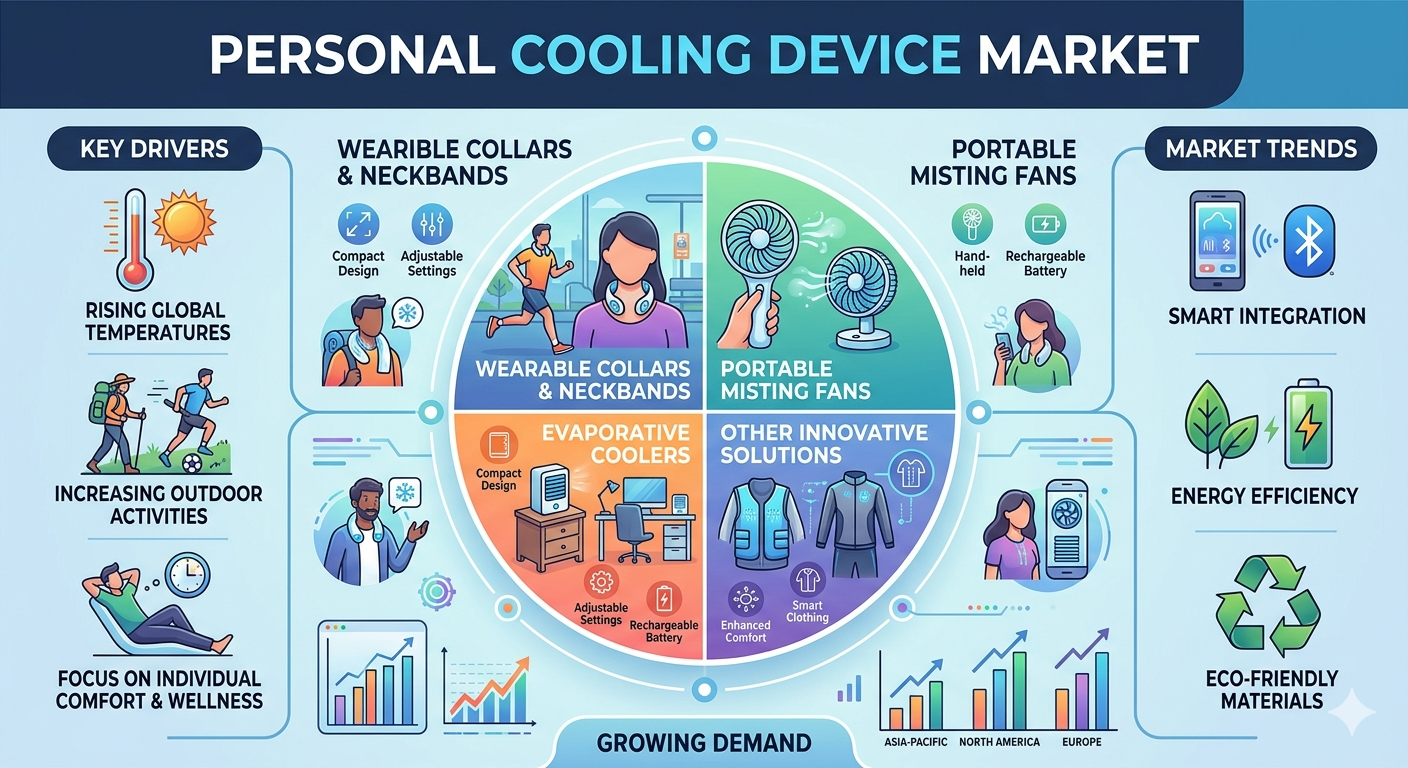
Increasing global temperatures and shifting lifestyle patterns are significantly influencing the demand for compact and portable cooling technologies. Consumers across residential, commercial, and outdoor environments are seeking convenient alternatives to traditional air conditioning systems. The growing prevalence of heatwaves, especially in densely populated urban regions, has accelerated...
If you're new to the platform or simply want a faster way to access your account, understanding the Mahadev Book Login process is the first step toward a smooth and hassle-free experience. Whether you're checking account details, exploring dashboard features, or managing your profile, mastering the login dashboard can save valuable time and improve your overall user experience. In this quick...

According to the latest report published by Data Bridge Market Research, the Polyurethane Market The global Polyurethane market size was valued at USD 78.65 billion in 2025and is expected to reach USD 132.40 billion by 2033, at a CAGR of 6.72% during the forecast period. The market is primarily driven by increasing demand from construction,...

Finding the right concrete companies in San Antonio Texas can make a major difference in how your project turns out. From driveways and patios to foundations and commercial flatwork, concrete work requires more than just pouring and finishing - it demands proper planning, materials, and knowledge of local conditions. San Antonio’s soil movement and changing weather can affect how concrete...