Best Laptop for Architecture Students: A Complete Buying Guide
Choosing the best laptop for architecture students is crucial for handling demanding design software, rendering tasks, and multitasking efficiently. Architecture students rely heavily on applications like AutoCAD, Revit, SketchUp, and 3D rendering tools, which require powerful hardware. A good laptop not only improves productivity but also ensures smoother workflow and better project outcomes. In this guide, we will explore the essential features, specifications, and recommendations to help you make the right choice.
Why Architecture Students Need Powerful Laptops
Architecture is a field that combines creativity with technical precision. Students work on complex models, high-resolution drawings, and simulations that demand high processing power.
Heavy Software Requirements
Programs like AutoCAD and 3D modeling tools require strong CPUs and GPUs. Without proper hardware, these applications may lag or crash, affecting your work.
Multitasking Needs
Architecture students often run multiple programs simultaneously. A powerful laptop ensures seamless multitasking without performance drops.
Key Features to Look For
When selecting the right device, understanding specifications is essential.
Processor (CPU)
A high-performance processor is the backbone of your laptop. Look for Intel Core i7/i9 or AMD Ryzen 7/9 for smooth performance.
Graphics Card (GPU)
A dedicated GPU is necessary for rendering and 3D modeling. NVIDIA RTX or AMD Radeon graphics cards are ideal for handling intensive workloads.
RAM and Storage
At least 16GB RAM is recommended, though 32GB is better for advanced tasks. SSD storage ensures faster boot times and quick file access.
Top Considerations When Choosing
Selecting the best laptop for architecture students involves more than just checking specifications.
Display Quality
A high-resolution display (Full HD or 4K) with accurate color reproduction is important for design work. Larger screens improve precision and comfort.
Portability and Battery Life
Students often carry laptops to studios and classes. A lightweight laptop with long battery life adds convenience without compromising performance.
Build Quality
Durable laptops with strong build quality can withstand daily usage and travel.
Recommended Laptop Types
There are different categories of laptops suitable for architecture students depending on budget and requirements.
High-End Workstations
These laptops offer top-tier performance, ideal for heavy rendering and professional-level projects.
Mid-Range Laptops
Balanced performance and affordability make them suitable for most students. They can handle design software efficiently without being too expensive.
Budget Options
While limited in performance, budget laptops can still manage basic tasks like 2D drafting and light modeling.
Software Compatibility Matters
Before purchasing, ensure your laptop supports essential architecture software. Compatibility issues can disrupt your workflow. The best laptop for architecture students should easily run tools like AutoCAD, Revit, Rhino, and Adobe Creative Suite without lag.
Additional Features to Consider
Cooling System
Powerful laptops generate heat. Efficient cooling systems prevent overheating and maintain performance during long sessions.
Keyboard and Touchpad
A comfortable keyboard and responsive touchpad improve productivity, especially during long working hours.
Connectivity Options
Multiple USB ports, HDMI, and Thunderbolt support are useful for connecting external devices like monitors and storage drives.
Common Mistakes to Avoid
Many students make errors when choosing a laptop.
Ignoring GPU Performance
Focusing only on CPU and RAM while neglecting GPU can lead to poor rendering performance.
Choosing Style Over Performance
Thin and stylish laptops may look attractive but might lack the power needed for architecture tasks.
Underestimating Storage Needs
Large project files require sufficient storage. Always opt for SSD with adequate capacity.
Conclusion
Finding the best laptop for architecture students requires balancing performance, portability, and budget. A powerful processor, dedicated GPU, sufficient RAM, and high-quality display are essential for handling demanding tasks. By understanding your academic needs and software requirements, you can invest in a laptop that enhances your productivity and supports your creative journey. Making the right choice today will ensure a smoother and more efficient learning experience throughout your architecture studies.
Catégories
Lire la suite
Cricket is more than just a game in Pakistan — it is a shared heartbeat that unites millions across cities, cultures, and generations. From electrifying sixes to nail-biting finishes, cricket fuels conversations in homes, cafés, and stadiums alike. It inspires loyalty, pride, and a deep emotional connection that goes far beyond the boundary ropes. For fans who live and breathe the...

Japan is facing growing concerns related to workplace safety, rising summer temperatures, and employee well-being. Industries such as construction, manufacturing, logistics, and public services are increasingly adopting heat stress monitoring technologies to reduce heat-related illnesses and maintain operational continuity. The demand for wearable sensors, environmental monitoring systems, and...

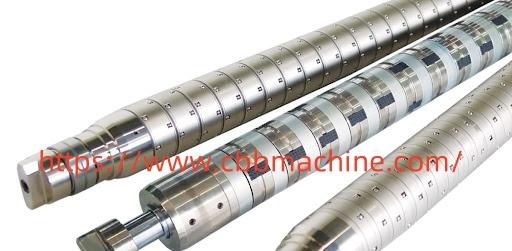
Differential Air Shaft serves as an essential solution in roll-to-roll manufacturing processes, providing precise control over web tension and alignment during both unwinding and rewinding operations. This ensures smooth material handling, minimizes wrinkles, and maintains consistent product quality throughout production. In modern industrial applications, tension control is critical. Printing,...
Making Juniper JN0-636 Exam Study Simple and Stress-Free Preparing for the Juniper JN0-636 exam does not have to feel stressful or confusing. Many students struggle because they study too much without a clear plan. They read many resources but still feel unsure about what really matters for the exam. Choosing clear and trusted Juniper JN0-636 study material makes preparation simple, focused,...

Gaming in India has transformed rapidly over the past decade. From casual mobile games to immersive online platforms, players today expect speed, excitement, and real rewards. That’s where Boom79 steps in—an emerging name that’s gaining attention among Indian gamers looking for a seamless and engaging experience. If you’ve been hearing about boom79game, boom 79, or boom...