NetSuite to QuickBooks Conversion Experts for Accurate Data Transfer | Numerawisesolutions

NetSuite is a powerful platform, and for a lot of growing companies, it made perfect sense at the time. But plenty of businesses eventually reach a point where NetSuite starts to feel heavier than what they actually need — steep licensing costs, a complex interface, and an implementation overhead that just doesn't match the size of the operation anymore. That's usually when NetSuite to QuickBooks conversion starts coming up in serious conversations.
What surprises a lot of business owners is how technical this move actually is. NetSuite and QuickBooks aren't built on the same logic. One is a full-scale ERP system with deeply interconnected modules; the other is a leaner, transaction-based accounting platform. Moving data between them isn't a simple export-import exercise — and treating it like one is exactly how businesses end up with broken books after the switch.
Why Businesses Move Away from NetSuite
Ask around, and a handful of reasons keep coming up.
Cost is often the biggest one. NetSuite's licensing, customization, and ongoing maintenance fees can be substantial, especially for a business that no longer needs the full depth of ERP functionality it once did — maybe because operations simplified, or because the original implementation was built for a scale the company hasn't reached.
Usability matters too. QuickBooks has a shorter learning curve, which means less time training staff and fewer support tickets over "how do I do this" questions. For finance teams that just need solid day-to-day accounting without a dozen interconnected modules, that simplicity is worth a lot.
And then there's flexibility. QuickBooks tends to integrate more easily with the everyday tools smaller and mid-sized businesses already use — payment processors, e-commerce platforms, payroll systems — without the heavier customization NetSuite often requires.
None of this makes NetSuite a poor system. It just means a lot of companies eventually outgrow the need for it, in the other direction.
Why This Conversion Is Trickier Than It Looks
NetSuite stores data in a highly structured, relational format across multiple interconnected modules — general ledger, inventory, order management, and more, all tied together. QuickBooks works on a simpler, more direct transactional model. That structural gap is where most conversion problems start.
A few areas cause the most trouble in practice:
Chart of accounts and subsidiaries. NetSuite's account structures, especially in multi-subsidiary setups, don't translate directly into QuickBooks. Each account needs to be reviewed and mapped individually.
Transaction history. Years of invoices, bills, journal entries, and adjustments have to move over completely and accurately — not summarized, not simplified, but intact with their original detail.
Open balances. Outstanding AR and AP need to reconcile exactly against NetSuite's numbers. Even a small mismatch here means the new QuickBooks file starts off wrong.
Custom fields and saved searches. Businesses often build extensive custom reporting and saved searches in NetSuite over the years. None of that transfers automatically, and a lot of it needs to be rebuilt in QuickBooks from scratch.
Multi-currency and multi-entity data. For companies operating across currencies or multiple subsidiaries, this is often the single hardest part of the conversion, and it's where inexperienced attempts fall apart fastest.
Get any of this wrong, and you're looking at duplicate transactions, mismatched balances, or missing history — problems that are considerably harder to untangle after the fact than to prevent from the start.
What a Careful Conversion Process Looks Like
The right way to think of a conversion is as a checklist, and each item on the list is there to catch a specific failure mode before it becomes irreversible.
You start with a deep inventory of what’s sitting in NetSuite — understanding the scope, the subsidiary structure, and any inconsistencies that could bite you after migration before you throw the switch.
Then you map, ensuring every account, customer, vendor, and transaction type has a home in QuickBooks and making a plan for anything that doesn’t.
Then before you touch the entire dataset, you do a test migration on a smaller sample so you can catch mapping issues while they’re still easy to fix.
Once that test looks right, the full data conversion puts every balance, every transaction history, every record into QuickBooks.
Then you reconcile, literally checking every major balance line by line against the original NetSuite figures to make sure nothing was lost, duplicated, or altered.
Finally, post-migration support is more important than most realize, since the kind of discrepancies that create fires often only appear once your team starts rolling reports and closing real books in the new system.
Miss a step, and the holes tend to show up exactly when you can least afford them to — during month-end or year-end close.
Why Expertise Matters Here More Than Most Migrations
NetSuite to QuickBooks conversions are less forgiving than most software switches, simply because NetSuite's data structure is so much more complex on the back end. A technically clean data transfer can still leave you with financially inaccurate books if the person handling it doesn't understand the accounting logic behind the numbers, not just the mechanics of moving files.
That's the value a dedicated conversion service brings — someone who understands both platforms deeply enough to know not just how to move the data, but how to make sure it still means the same thing once it lands.
At Numerawisesolutions, that's the core of how these conversions are handled: precise data mapping, careful reconciliation, and a final result your team can rely on from the very first login — not a system that looks right until someone runs a report that doesn't tie out.
Making the Switch Without the Headaches
Moving from NetSuite to QuickBooks is a significant decision, but it doesn't have to come with weeks of cleanup afterward. With the right mapping, disciplined testing, and full reconciliation, businesses can make this transition without losing historical accuracy or creating extra work down the line.
If your business is weighing this move, the outcome usually comes down to one thing: whether the people handling the conversion actually understand both systems well enough to get the numbers right the first time.
Categorieën
Read More
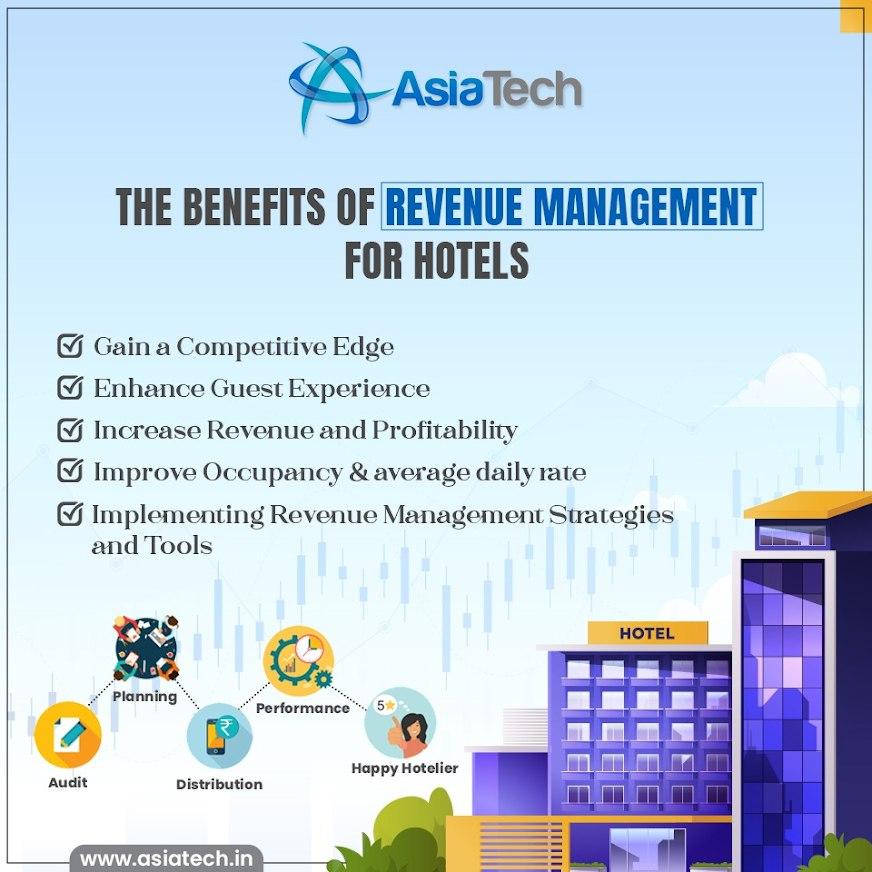
With the fast pace of the hospitality world turning digital, hotels must have strong technology that is well connected to remain competitive. AsiaTech is a leading travel technology company, and its solutions make operations easier, maximise direct booking, and provide guests with better experiences. AsiaTech has years of experience in hotel technology, which means that the company is perfectly...
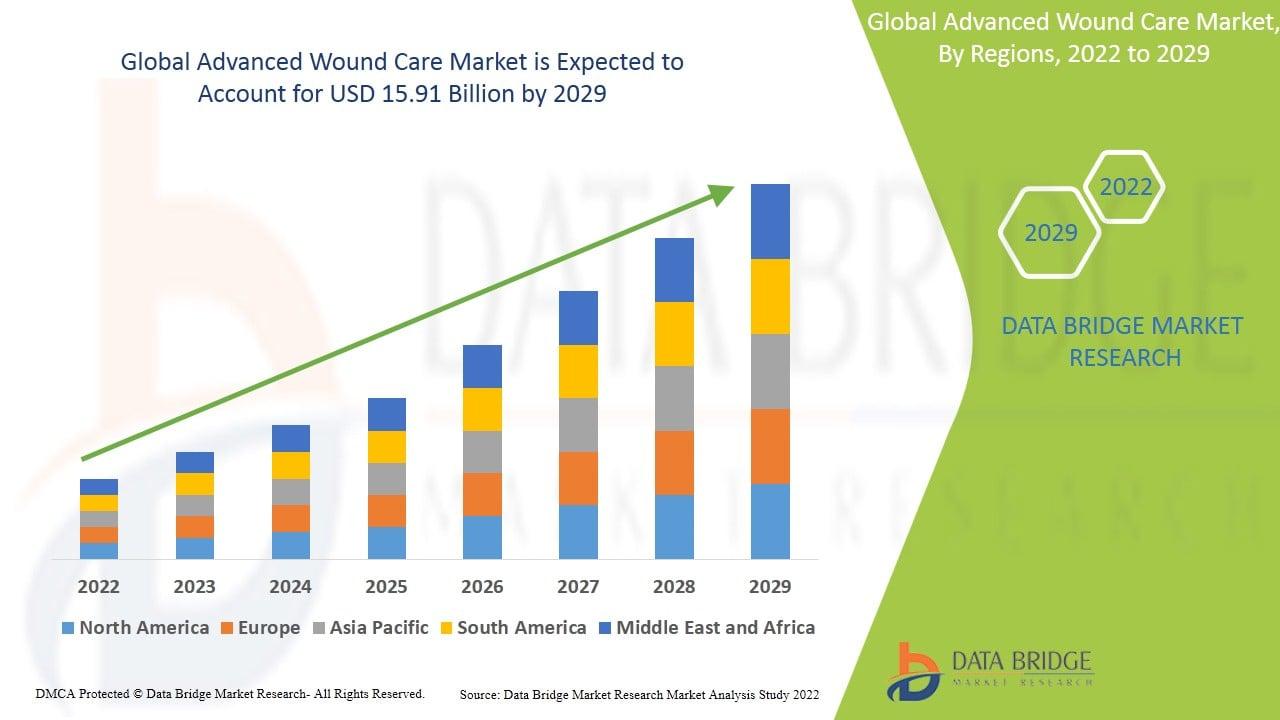
" Advanced Wound Care Market : According to the latest report published by Data Bridge Market Research, the Advanced Wound Care Market Global advanced wound care market size was valued at USD 11.45 billion in 2024 and is projected to reach USD 19.38 billion by 2032, with a CAGR of 6.80% during the forecast period of 2025 to 2032. Advanced Wound Care Market Trends “Rising...
Mayonnaise Market According to the latest report published by Data Bridge Market Research, the Mayonnaise Market mayonnaise market size was valued at USD 8.86 billion in 2025 and is expected to reach USD 12.22 billion by 2033, at a CAGR of 4.10% during the forecast period The market growth is largely fuelled by the increasing demand for convenience...

Power outages can occur at any time due to storms, equipment failures, or grid-related issues. These interruptions often create inconvenience and may even lead to significant operational losses. Because of this, generators are widely used to provide emergency electricity and maintain essential services during unexpected situations. Why Backup Energy Systems Matter Modern society depends heavily...

Roots Analysis recently published a report on the global Medical Exoskeleton Market growth. With a focus on historical trends, current developments, and future projections, it offers a data-rich foundation for decision-makers, industry participants, and investors. The report includes both macro and micro-level insights, enabling readers to grasp key dynamics across segments, regions,...