Microsoft Dynamics 365 Business Central: A Complete Guide for Modern Businesses

As businesses grow, managing finances, inventory, sales, purchasing, customer relationships, and operations through multiple disconnected systems becomes increasingly difficult. Manual processes often lead to errors, delayed decisions, and reduced productivity. This is where Microsoft Dynamics 365 Business Central comes into the picture.
Designed for small and medium-sized businesses as well as growing enterprises, Microsoft Dynamics 365 Business Central is a cloud-based Enterprise Resource Planning (ERP) solution that brings all your business processes into one integrated platform. Whether you are looking for better financial control, improved inventory management, streamlined supply chain operations, or enhanced reporting, Business Central provides the tools needed to support sustainable business growth.
In this guide, you'll learn what Microsoft Dynamics 365 Business Central is, its key features, business benefits, real-world applications, implementation process, and why choosing the right implementation partner matters.
What is Microsoft Dynamics 365 Business Central?
Microsoft Dynamics 365 Business Central is Microsoft's modern ERP platform that helps businesses manage finance, operations, purchasing, inventory, manufacturing, warehousing, sales, customer service, and project management from a single system.
Built on Microsoft Azure, it provides secure cloud access while integrating seamlessly with Microsoft 365 applications like Outlook, Excel, Teams, and Power BI. Businesses can also extend its capabilities through Microsoft's Power Platform, enabling low-code automation, custom applications, and intelligent workflows.
Business Central is the evolution of Microsoft Dynamics NAV, making it the preferred upgrade path for organizations previously using NAV. Many businesses searching for a trusted microsoft navision partner now choose Business Central to modernize their ERP environment.
Why Businesses Are Moving Towards Business Central
Digital transformation is no longer optional. Companies need real-time visibility into operations while maintaining flexibility for future growth.
Microsoft Dynamics 365 Business Central helps organizations:
- Replace outdated legacy software
- Eliminate manual data entry
- Improve financial visibility
- Automate repetitive business processes
- Enhance customer service
- Scale operations without replacing systems
- Improve decision-making using real-time analytics
Instead of managing different software for finance, inventory, sales, and purchasing, Business Central connects every department through one unified platform.
Key Features of Microsoft Dynamics 365 Business Central
Financial Management
Financial management remains the backbone of every successful business.
Business Central enables organizations to:
- General ledger management
- Accounts payable and receivable
- Cash flow forecasting
- Budget planning
- Bank reconciliation
- Fixed asset management
- Multi-currency transactions
- Financial reporting
Finance teams gain real-time visibility into company performance while reducing manual accounting work.
Inventory Management
Inventory accuracy directly impacts customer satisfaction and profitability.
Business Central offers advanced inventory capabilities including:
- Real-time stock tracking
- Warehouse management
- Inventory valuation
- Barcode integration
- Batch and serial number tracking
- Demand forecasting
- Automated replenishment
For businesses seeking reliable inventory management software India, Business Central provides enterprise-grade inventory capabilities suitable for manufacturers, wholesalers, retailers, and distributors.
Sales and Customer Management
The platform simplifies sales operations by centralizing customer information.
Features include:
- Customer records
- Sales quotations
- Sales orders
- Invoice generation
- Pricing management
- Customer payment tracking
- Sales forecasting
Integration with Microsoft Outlook allows sales teams to create quotes and manage customer interactions without switching applications.
Purchasing and Supply Chain Management
Business Central helps organizations optimize procurement by automating purchasing workflows.
Capabilities include:
- Vendor management
- Purchase orders
- Approval workflows
- Supplier performance tracking
- Procurement planning
- Goods receipt management
Businesses benefit from reduced procurement costs and improved supplier relationships.
Manufacturing Management
Manufacturers require accurate production planning and resource optimization.
Business Central includes manufacturing capabilities such as:
- Production orders
- Bill of Materials (BOM)
- Capacity planning
- Material requirements planning
- Shop floor management
- Production scheduling
- Cost tracking
Companies looking for reliable manufacturing ERP software India often choose Business Central due to its scalability and integration with production processes.
Project Management
Service-based organizations can efficiently manage projects using features like:
- Project budgeting
- Resource allocation
- Time tracking
- Expense management
- Project profitability analysis
Project managers gain complete visibility into timelines and financial performance.
Business Intelligence with Power BI
Business data becomes meaningful when it supports better decisions.
Business Central integrates directly with Power BI, enabling businesses to create interactive dashboards that display:
- Sales performance
- Financial trends
- Inventory movement
- Customer insights
- Operational KPIs
Decision-makers receive real-time information instead of relying on static reports.
Integration with Azure Cloud and Power Platform
One of Business Central's biggest advantages is its seamless integration with Microsoft's technology ecosystem.
Azure Cloud
Hosted on Azure Cloud, Business Central offers:
- High availability
- Enterprise-grade security
- Automatic updates
- Disaster recovery
- Scalability
- Global accessibility
Organizations can securely access business data from anywhere while reducing infrastructure costs.
Power Platform
Integration with Power Platform allows businesses to:
- Automate repetitive tasks using Power Automate
- Build custom applications with Power Apps
- Create dashboards with Power BI
- Develop AI-powered virtual assistants using Copilot Studio
This flexibility allows businesses to extend Business Central without extensive custom development.
ERP Implementation: What Businesses Should Know
Successful erp implementation is more than installing software.
A structured implementation generally includes:
Business Requirement Analysis
Understanding current business processes, operational challenges, and future objectives.
Solution Design
Configuring Business Central based on company-specific workflows.
Data Migration
Migrating customer records, financial data, inventory, vendors, and historical transactions safely into the new system.
System Configuration
Setting up modules, user permissions, approval workflows, tax configurations, and reporting structures.
User Training
Training employees to ensure quick adoption and efficient system usage.
Go-Live Support
Providing technical support during deployment and resolving any operational issues.
An experienced implementation partner significantly improves project success while reducing business disruption.
How Different Industries Use Business Central
Microsoft Dynamics 365 Business Central supports businesses across multiple sectors.
Manufacturing
Manufacturers use Business Central to manage production planning, inventory, procurement, quality control, and financial reporting.
Distribution
Distributors improve warehouse operations, inventory accuracy, supplier management, and order fulfillment.
Retail
Retail businesses gain centralized inventory visibility across multiple locations while simplifying purchasing and customer management.
Logistics
Companies looking for erp software for logistics industry benefit from shipment tracking, warehouse management, inventory visibility, procurement automation, and financial control.
Professional Services
Consulting firms manage projects, billing, resource allocation, and profitability through integrated project management features.
Enterprise AI Solutions and Intelligent Automation
Artificial intelligence is becoming an essential part of modern ERP systems.
Business Central leverages Microsoft's Enterprise AI solutions to help businesses:
- Generate financial insights
- Predict inventory demand
- Automate repetitive workflows
- Improve forecasting accuracy
- Identify business trends
- Enhance customer experiences
AI-powered recommendations reduce manual effort while improving decision quality.
Real-World Example
Consider a mid-sized manufacturing company operating with separate accounting software, spreadsheets, and inventory tools.
The company faced challenges such as:
- Inventory mismatches
- Delayed purchase orders
- Slow financial reporting
- Manual production planning
After implementing Microsoft Dynamics 365 Business Central, the business achieved:
- Centralized business operations
- Improved inventory accuracy
- Faster financial closing
- Better production scheduling
- Real-time reporting for management
- Reduced manual data entry
This allowed leadership to focus more on strategic growth rather than administrative tasks.
Benefits of Microsoft Dynamics 365 Business Central
Business Central offers several long-term advantages.
Improved Productivity
Automation reduces repetitive manual work, allowing employees to focus on higher-value activities.
Better Decision Making
Real-time dashboards provide accurate business insights whenever needed.
Scalable Platform
The solution grows with your business without requiring frequent software replacement.
Seamless Microsoft Integration
Businesses already using Microsoft 365 enjoy smooth integration with familiar applications.
Enhanced Security
Microsoft Azure provides enterprise-grade security, compliance, encryption, and regular updates.
Cost Efficiency
Cloud deployment reduces infrastructure expenses while minimizing maintenance costs.
Potential Challenges
Like any ERP solution, Business Central requires careful planning.
Some considerations include:
- Initial investment in implementation and training
- Time required for user adoption
- Data migration complexity
- Process changes during implementation
- Choosing an experienced implementation partner
With proper planning and expert guidance, these challenges can be effectively managed.
Frequently Asked Questions
Is Microsoft Dynamics 365 Business Central suitable for small businesses?
Yes. Business Central is designed for small and medium-sized businesses while remaining scalable enough for larger organizations.
Can Business Central replace Microsoft Dynamics NAV?
Yes. Business Central is the modern cloud successor to Microsoft Dynamics NAV and is the recommended upgrade path.
Does Business Central support manufacturing businesses?
Yes. It offers production planning, capacity management, inventory control, warehouse management, and supply chain features, making it ideal for manufacturing companies.
Can Business Central integrate with Microsoft Office?
Yes. It integrates seamlessly with Outlook, Excel, Teams, Word, Power BI, and other Microsoft applications.
Why should businesses work with experienced Dynamics 365 Business Central partners?
Experienced dynamics 365 business central partners help organizations reduce implementation risks, customize workflows, migrate data securely, train employees, and provide ongoing support for long-term success.
Choosing the Right Implementation Partner
Selecting the right ERP partner can significantly influence the success of your implementation.
When evaluating providers, consider:
- Industry experience
- Microsoft certifications
- Proven implementation methodology
- Technical expertise
- Customer support capabilities
- Post-implementation services
- Ability to understand your business processes
A knowledgeable partner helps ensure that the ERP solution aligns with your operational goals rather than forcing your business to adapt to generic software configurations.
Why Businesses Choose Rivira Systems
While Microsoft Dynamics 365 Business Central is a powerful ERP platform, achieving the best results depends on proper implementation, customization, and ongoing support. Rivira Systems helps businesses plan and deploy Business Central solutions tailored to their operational requirements. From initial consultation and ERP implementation to migration, training, and post-deployment assistance, the focus is on helping organizations maximize the value of their ERP investment while supporting long-term business growth.
Conclusion
Microsoft Dynamics 365 Business Central has become one of the most trusted ERP solutions for businesses seeking operational efficiency, financial visibility, and long-term scalability. Its cloud-based architecture, seamless Microsoft integration, intelligent automation, and comprehensive business management capabilities make it a strong choice for organizations across manufacturing, distribution, retail, logistics, and professional services.
Whether your goal is improving financial management, implementing modern inventory systems, streamlining manufacturing operations, or adopting AI-driven business processes, Business Central provides the flexibility needed to support your growth journey.
If you're considering Microsoft Dynamics 365 Business Central for your organization, consulting an experienced implementation partner like Rivira Systems can help ensure a smooth deployment and long-term success.
Ready to modernize your business operations with Microsoft Dynamics 365 Business Central? Contact Rivira Systems to discuss your ERP requirements, explore the right implementation approach, and discover how Business Central can support your business growth. Feel free to share your questions or experiences in the comments below.
Categorie
Leggi tutto
Comfortable Travel for Every Journey Traveling between Ahmedabad and Vadodara is a common requirement for business professionals, families, students, and tourists. Whether you are traveling for work, personal commitments, medical appointments, or leisure, choosing a comfortable taxi service can make your journey easier and more enjoyable. A professional Ahmedabad to Vadodara...

A new growth forecast report titled E-Commerce Automotive Aftermarket Size, Share, Trends, & Industry Analysis Report: By Replacement Parts, By End Use (B2B and B2C), and By Region – Market Forecast, 2025–2034 introduced by Polaris Market Research represents conclusive data on the overall market. It majorly targets to provide a detailed analysis of growth factors,...

The athletic landscape across the Indian subcontinent is undergoing a profound metamorphosis as we progress through 2026, evolving from a traditional recreational pursuit into a sophisticated, high-performance ecosystem that resonates with millions of people. As the national consciousness shifts toward wellness, the requirement for elite-grade equipment and apparel has surged, paving the way...

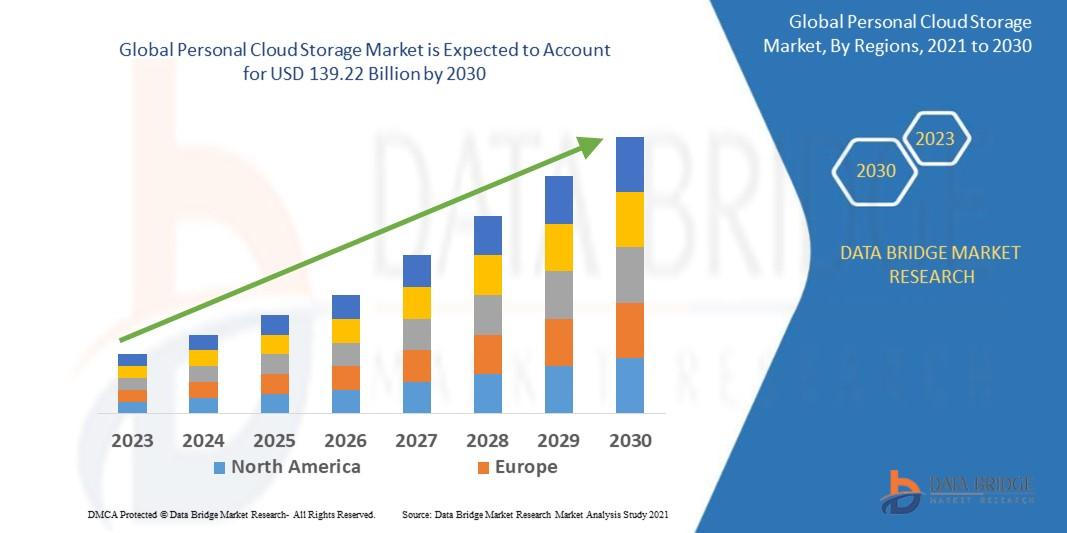
"Global Demand Outlook for Executive Summary Personal Cloud Storage Market Market Size and Share CAGR Value Data Bridge Market Research analyses that the personal cloud storage market is expected to reach USD 139.22 billion by 2030, which is USD 22.87 billion in 2022., at a CAGR of 25.33% during the forecast period A large-scale Personal Cloud Storage Market Market report comprises of...
Introduction Modern healthcare infrastructure requires highly specialized critical care facilities, and Pediatric Intensive Care Units (PICUs) are among the most advanced setups in hospitals. These units involve complex medical equipment, monitoring systems, ventilation support, and life-saving devices that must be installed and configured with precision. Because of this complexity, hospitals...