Getting Video onto Your Homepage Without Sacrificing Speed

There's a paradox at the heart of modern web design. Visitors want rich, visual content — and video delivers that better than anything else. But the very files that make video compelling are the ones that slow your page to a crawl. Resolving this tension isn't about compromise. It's about knowing which techniques separate a fast, video-enhanced page from a broken one.
Why Video Converts
Motion commands attention in ways static elements never will. A short clip can demonstrate your product, explain your service, or set an emotional tone within seconds of a visitor arriving. That speed of communication matters when you have a razor-thin window to make an impression.
Beyond pure engagement, video establishes something written content struggles to achieve on its own: a sense of realness. When visitors see a genuine person — not a stock photo, not a paragraph of marketing copy — something clicks. They perceive authenticity. And authentic experiences build the kind of trust that moves people closer to clicking a purchase button. A website designer who understands this dynamic knows that video isn't decorative. It's structural.
But trust requires patience, and patience requires a page that loads before the visitor gives up.
The Speed Problem
Search engines evaluate your page against specific benchmarks called Core Web Vitals. These measure load speed, responsiveness, and layout stability. Every metric is sensitive to the weight of files on the page.
Consider the math. A typical uncompressed video file weighs 50 megabytes or more. Browsers must simultaneously download that file while rendering HTML, processing stylesheets, and executing scripts. On desktop connections, the delay is noticeable. On mobile networks, it's devastating. Visitors routinely abandon pages that take longer than three seconds to display meaningful content. That window closes fast, and heavy video is often the primary culprit behind the delay.
A web design company that tests pages under real-world conditions sees this pattern consistently — the homepage with the beautiful raw video file is almost always the slowest page on the site.
Compress and Format Correctly
The first remedy is straightforward: make the file smaller. High-resolution footage looks impressive in a production suite, but a homepage background doesn't require 4K clarity. Scaling to 720p or 1080p produces a visually clean result at a fraction of the data cost.
Tools like Handbrake make compression accessible. Aim to get the file under 5 megabytes. If the video serves a purely visual purpose with no meaningful audio, remove the sound track entirely — it's dead weight. Format choice compounds the savings. WebM delivers excellent quality in smaller packages than MP4. Serving WebM to compatible browsers with an MP4 fallback ensures broad compatibility without unnecessary bloat.
Use a Poster Image
An empty video container signals neglect. Visitors see a blank space or a spinning icon and assume something is broken. A poster image eliminates this problem entirely.
This is simply a compressed still frame assigned to the video element. The browser displays it immediately while the full video loads behind the scenes. Once buffering completes, the still is replaced by playback. The visitor never sees a gap. This technique also improves Largest Contentful Paint scores, which directly influences how Google evaluates your page speed. It's a small implementation detail with outsized consequences for both perception and ranking.
Smart Hosting and Delivery
Your hosting decision shapes the real-world experience more than almost any other choice. Third-party services like YouTube and Vimeo handle streaming through adaptive bitrate delivery. They detect connection quality and adjust resolution automatically. For visitors on slower networks, this alone can be the difference between a video that plays smoothly and one that buffers endlessly.
Self-hosting removes platform branding and unwanted suggestions at the end of playback. A website designer who recommends this path typically pairs it with a content delivery network. CDNs distribute your file across servers worldwide, ensuring each visitor downloads from the nearest location. Without this layer, self-hosted video often loads slower than its platform-hosted counterpart.
Equally important: configure lazy loading for any video positioned below the initial fold. This prevents the browser from fetching offscreen video data while above-the-fold content is still rendering, preserving bandwidth for what the visitor sees first.
Autoplay and User Experience
Nothing sends a visitor fleeing faster than unexpected sound. Auto-playing a video with audio enabled is the digital equivalent of shouting in someone's face. The instinctive reaction — leaving the page — costs you a potential conversion before you even had a chance.
If autoplay is part of your design approach, mute it unconditionally. Overlay captions if the dialogue carries essential meaning. Autoplay also triggers an immediate download regardless of whether the visitor intends to watch. From a pure performance standpoint, removing autoplay and letting visitors initiate playback is almost always smarter. It conserves resources and eliminates friction. When autoplay is non-negotiable for visual continuity, keep the duration short and ensure it loops silently.
Keep the Content Tight
Even perfectly optimized video fails if the content itself doesn't work. Homepage clips should stay under 60 seconds. Longer narratives belong on dedicated pages designed for deeper engagement.
Direct the entire piece toward one message. Show a product delivering its primary benefit. Show a service solving a specific problem. Show a result that resonates with your target audience. Trying to pack everything into a brief clip creates noise. The most effective homepage videos are the ones where every frame serves a purpose and nothing feels redundant.
Placement and Strategy
Where video lives on the page determines whether it converts or merely occupies space. Pair it with a clear call-to-action so the transition from watching to acting is immediate and intuitive.
When the video fills the viewport, place the CTA directly over it or immediately below so no extra scrolling is required. Don't rely on the video alone to communicate your value proposition. A concise headline positioned near the clip gives visitors who prefer scanning an instant understanding of your offer. This dual approach — visual for watchers, text for readers — ensures no visitor is left guessing.
A web design company that builds conversion-focused pages treats video placement as a strategic decision rather than an aesthetic one. Every pixel of positioning is intentional. Every element on the page exists to move the visitor one step closer to action, and the video serves that goal rather than competing with it.
The Role of Professionals
Getting video onto a homepage properly requires fluency in HTML5 video attributes, CDN configuration, lazy loading implementation, and cross-device testing. The technical scope is wider than most site owners realize.
A professional web design company manages these details routinely. They compress files to precise specifications, write fallback code for browsers that lack modern format support, and verify that video containers behave correctly across every breakpoint. Their daily work is the gap between a page that looks great in a mockup and one that performs under real conditions.
When a Singapore website designer builds a homepage with embedded video, the testing process is meticulous. Load times get measured on physical devices over actual cellular connections. They verify the video pauses when scrolled out of view. They confirm that surrounding elements remain responsive and unaffected.
Cumulative Layout Shift requires special attention. A video that loads and forces existing content to jump creates a disorienting experience. Setting explicit width and height attributes on the video container prevents this. The browser allocates space before the file arrives, the layout remains stable, and the page feels polished from the first moment of rendering.
Conclusion
Video is a conversion tool, not a compromise. When you compress properly, serve modern formats, leverage CDNs, and pair the content with strategic placement, the result is a page that engages visitors without slowing them down. Keep clips focused. Mute the audio. Use poster images. Defer offscreen downloads. Every one of these decisions compounds into a faster, more effective homepage — one where visitors stay long enough to become customers.
Nach Verein filtern
Read More
" According to the latest report published by Data Bridge Market Research, the Vascular Endothelial Growth Factor (VEGF) Inhibitor Market Data Bridge Market Research analyses a growth rate in the vascular endothelial growth factor (VEGF) inhibitor market in the forecast period 2023-2030. The expected CAGR of vascular endothelial growth factor (VEGF) inhibitor market is tend to be...

Rosacea is a chronic skin condition characterized by persistent redness, visible blood vessels, and occasional acne-like bumps, primarily on the face. It can affect self-confidence and quality of life. While topical creams and medications provide partial relief, laser therapy offers a more effective and long-lasting solution. Many dermatology clinics in Islamabad now provide...

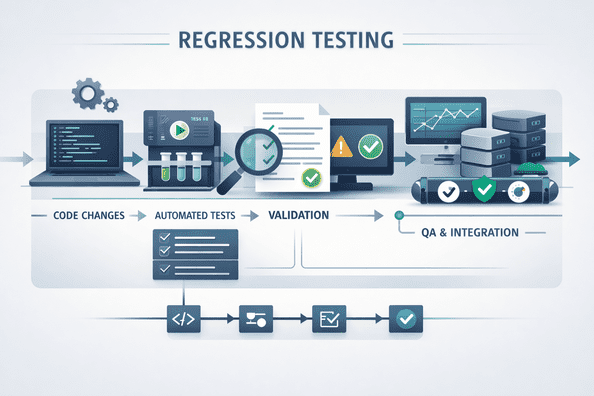
In today’s fast-paced software development environment, frequent code changes and rapid release cycles make regression testing a critical activity. Ensuring that new updates do not break existing functionality is essential for delivering stable, high-quality software. Automating regression tests within continuous integration (CI) pipelines enables teams to maintain reliability while...
Chennai Montessori Teacher Training Institute – Build a Successful Career in Early Childhood Education Are you searching for a trusted Chennai Montessori teacher training institute to begin a rewarding career in teaching? Chennai is one of the best places in India to pursue Montessori education, offering comprehensive teacher training programs with practical...

Marrakech, joyau du Maroc, est connue pour son ambiance vibrante, ses souks colorés et son riche patrimoine culturel. Parmi les nombreux établissements qui y Marrakech hôtel accueillent les voyageurs, l'Hôtel Marrakech se démarque en offrant une expérience unique où luxe et tradition se rencontrent. Un Cadre Enchanteur Idéalement...