


Could Microsoft Fabric Implementation Services Be the Missing Link Between Your Business Data and Better Decisions?
Businesses today generate enormous amounts of data through ERP systems, customer platforms, websites, applications, warehouses, finance systems and operational tools. Yet having more data does not automatically lead to better decisions.
The real challenge is bringing that data together, making it reliable, and turning it into useful business intelligence.
This is where Microsoft Fabric implementation services can play an important role.
Microsoft Fabric is Microsoft's unified analytics platform, bringing together capabilities for data integration, engineering, warehousing, data science, real-time analytics, business intelligence and AI. At the center of the platform is OneLake, which provides a common data foundation for Fabric workloads.
For businesses already using Microsoft technologies such as Dynamics 365 Business Central, Azure Cloud, Power BI and Power Platform, Fabric can provide a more connected approach to analytics and decision-making.
But implementing Fabric successfully is not simply a matter of switching on a Microsoft service. Organizations need to understand their data architecture, business requirements, security needs, integrations and reporting objectives.
This article explores what Microsoft Fabric implementation services involve, why they matter, how Fabric can complement ERP implementation, and what businesses should consider before adopting it.
What Is Microsoft Fabric?
Microsoft Fabric is a cloud-based, unified data and analytics platform designed to bring multiple data and analytics capabilities together in one environment.
Instead of managing separate services for data ingestion, storage, engineering, analytics and visualization, organizations can use different Fabric workloads on a shared foundation.
Microsoft describes Fabric as a platform covering areas such as Data Factory, OneLake, Data Engineering, Data Science, Data Warehouse, Power BI and Real-Time Intelligence.
OneLake is particularly important because it acts as a centralized logical data lake for an organization's analytics data. Microsoft states that Fabric workloads can work with data through this shared foundation, reducing unnecessary data movement between different analytics experiences.
In simple terms, Fabric can help organizations move from:
Scattered data → Connected data → Governed insights → Better decisions
That makes it relevant not only to large enterprises but also to growing organizations that are gradually building more sophisticated data environments.
Why Are Microsoft Fabric Implementation Services Important?
Microsoft Fabric offers significant capabilities, but technology alone does not guarantee business value.
A poorly planned implementation can result in unnecessary complexity, inefficient data pipelines, confusing reports and higher operational costs.
Microsoft Fabric implementation services typically focus on designing and deploying a Fabric environment around specific business requirements.
A structured implementation can include:
- Business and data assessment
- Fabric architecture planning
- Data source identification
- Data integration
- OneLake configuration
- Data transformation
- Data warehouse or lakehouse development
- Power BI integration
- Real-time analytics
- Security and governance
- Testing
- User training
- Deployment and ongoing optimization
The objective is not simply to implement Fabric. The objective is to create a data environment that people can actually use.
How Does Microsoft Fabric Work With ERP Systems?
One of the most interesting applications of Fabric is its relationship with ERP systems.
Modern businesses often depend on ERP platforms for financial, purchasing, inventory, manufacturing and operational information.
For example, an organization using Microsoft Dynamics 365 Business Central may have valuable data related to:
- Sales orders
- Purchase orders
- Inventory
- Customers
- Vendors
- Production
- Financial transactions
- Warehouses
- Product performance
However, ERP data alone may not provide the complete picture.
A manufacturer may also need production-machine data.
A logistics company may need shipment and delivery information.
A retailer may need e-commerce and customer behavior data.
A service business may need project and resource information.
Fabric can help organizations bring data from different sources into a unified analytics environment.
This creates opportunities for deeper reporting and cross-functional analysis without forcing decision-makers to manually combine information from multiple systems.
Microsoft Fabric and Business Central: A Powerful Combination
Business Central is Microsoft's ERP solution for small and medium-sized businesses. It supports areas such as finance, supply chain, inventory, sales, purchasing and manufacturing.
For organizations using dynamics business central, Fabric can extend the analytical capabilities around operational data.
Consider a manufacturing company.
Business Central may tell the company how much inventory it has, what it purchased and what it sold.
Fabric can potentially bring together that ERP information with other datasets such as production data, logistics information, customer demand and operational data.
This creates a broader analytical picture.
For example, management could investigate questions such as:
- Which products generate the highest margins?
- Which warehouses have excessive inventory?
- Which suppliers experience the most delays?
- Which production lines have recurring efficiency problems?
- How does inventory availability affect sales?
- Which regions are generating the strongest demand?
This is where ERP implementation and data analytics can complement each other.
An ERP system helps manage business processes.
A data platform helps organizations understand those processes at scale.
The Role of OneLake in Microsoft Fabric
OneLake is one of the central concepts behind Fabric.
Microsoft describes OneLake as a single, unified, logical data lake for an organization. Fabric workloads use this shared foundation to work with organizational data.
One benefit is reducing unnecessary duplication of data.
Fabric also supports shortcuts that can reference external storage without physically copying all the data into OneLake. Microsoft documentation notes that shortcuts can connect to sources such as Azure Data Lake Storage, Amazon S3 and Google Cloud Storage.
For organizations with multiple data environments, this can make the overall architecture more flexible.
Instead of thinking about data as isolated databases owned by individual departments, businesses can start building a more connected data ecosystem.
Microsoft Fabric Data Integration With Data Factory
Data integration is a critical part of any Fabric implementation.
Microsoft Fabric Data Factory provides capabilities for data movement, transformation and orchestration. Microsoft documentation highlights support for complex ETL scenarios, pipelines, Dataflow Gen2 and numerous connectors.
For a business, this could mean bringing information from sources such as:
- ERP systems
- CRM platforms
- SQL databases
- Cloud applications
- E-commerce platforms
- Excel files
- APIs
- Operational systems
- IoT devices
The exact architecture depends on the organization's requirements.
A good implementation should avoid moving data simply because the technology allows it. Each integration should have a clear business or analytical purpose.
Power BI and Microsoft Fabric
Power BI remains an important part of the Microsoft analytics ecosystem.
Fabric integrates Power BI into its broader data platform, allowing organizations to build interactive reports and dashboards using governed data.
Microsoft notes that Power BI semantic models act as an analytical backbone for reports by centralizing business logic, calculations and governance.
This can be particularly useful for management teams.
Instead of receiving manually prepared spreadsheets every week, decision-makers can access dashboards showing metrics such as:
- Revenue
- Gross margin
- Inventory levels
- Sales performance
- Procurement trends
- Production efficiency
- Customer performance
- Regional performance
For organizations investing in inventory management software India, for example, Fabric and Power BI can provide another analytical layer for understanding inventory trends across locations and business units.
Microsoft Fabric for Manufacturing
Manufacturing is one area where unified analytics can be especially valuable.
Manufacturers often deal with large amounts of operational data across procurement, production, inventory, quality control and distribution.
Businesses using manufacturing ERP software India may already have substantial operational information stored in their ERP system.
Fabric can potentially combine this information with other sources, including machine data, production systems and external datasets.
Microsoft's Real-Time Intelligence capabilities are designed to ingest, process, analyze and act on streaming data. Microsoft highlights use cases including manufacturing, IoT, anomaly detection and operational management.
Imagine a production environment where operational data indicates an unusual pattern.
Instead of waiting for a monthly report, a real-time analytics system could help teams identify the issue much sooner.
The value is not simply faster reporting.
It is faster awareness.
Microsoft Fabric for Logistics and Distribution
The logistics industry also produces data at a rapid pace.
Companies may need to monitor:
- Orders
- Shipments
- Delivery times
- Warehouse capacity
- Inventory
- Vehicle movement
- Customer demand
- Supplier performance
For businesses exploring erp software for logistics industry, analytics can become an important part of operational planning.
Fabric's Real-Time Intelligence capabilities can work with streaming information and support dashboards, queries and automated responses to changing data.
This can help organizations move toward more proactive decision-making.
Instead of asking what happened yesterday, management can increasingly ask:
What is happening right now, and what should we do next?
Microsoft Fabric and Azure Cloud
Microsoft Fabric fits naturally into the broader Microsoft cloud ecosystem.
Organizations already investing in Azure Cloud may find opportunities to connect existing cloud data and services with their analytics environment.
Fabric can work with external storage through capabilities such as OneLake shortcuts, while organizations can use Microsoft's broader cloud ecosystem for infrastructure, applications, security and integration requirements.
The right architecture depends on the organization's existing environment.
Fabric should not automatically replace every existing Azure service.
Instead, businesses should evaluate where Fabric provides the greatest value and how it can coexist with their current technology stack.
Power Platform and Microsoft Fabric
The Microsoft ecosystem becomes even more interesting when Fabric is considered alongside Power Platform.
Power Apps can support custom business applications.
Power Automate can help automate workflows.
Power BI can provide reporting and visualization.
Fabric can provide the underlying analytics environment.
Together, these technologies can support a broader digital transformation strategy.
For example, a company could identify a purchasing issue through analytics, trigger an automated workflow, and provide employees with a custom application to complete the required action.
This moves analytics beyond dashboards.
It connects insight with action.
Where Enterprise AI Solutions Fit In
AI is increasingly becoming part of enterprise data strategies.
However, AI is only as useful as the data behind it.
If business data is fragmented, inconsistent or poorly governed, AI systems can struggle to produce reliable results.
Fabric provides capabilities across data engineering, data science, analytics and AI, while Microsoft's current Fabric ecosystem also includes AI-oriented capabilities such as Copilot and Fabric IQ.
This creates opportunities for organizations exploring Enterprise AI solutions to build AI strategies around a more unified data foundation.
The important point is that businesses should not adopt AI simply because it is fashionable.
The better approach is to identify a business problem first and then determine whether analytics, automation or AI can solve it.
What Does a Microsoft Fabric Implementation Process Look Like?
A successful implementation usually begins with business requirements rather than technology.
1. Discovery and Assessment
The first step is understanding the organization's current environment.
Questions may include:
- What systems are currently being used?
- Where does business data reside?
- What reporting problems exist?
- Which processes are manual?
- What data needs to be analyzed?
- Who will use the insights?
2. Data Architecture Planning
The implementation team can then determine how different data sources should connect with Fabric.
This includes decisions around OneLake, lakehouses, warehouses, pipelines, semantic models and security.
3. Data Integration
Relevant data sources are connected to the Fabric environment.
Data Factory can support ingestion, transformation and orchestration requirements.
4. Data Modeling
Raw data is transformed into structures that business users can understand.
Good data modeling is essential because dashboards are only as useful as the underlying information.
5. Power BI Reporting
Relevant dashboards and reports can then be developed.
Reports should focus on business questions rather than simply displaying every available metric.
6. Security and Governance
Data access should be carefully controlled.
Microsoft Fabric includes security capabilities designed to protect data across the platform, including controls for access and governance.
7. Testing and Validation
Before deployment, pipelines, reports, permissions and integrations should be tested.
Business users should also validate whether the information is accurate and useful.
8. Training and Adoption
Even technically excellent implementations can struggle if employees do not understand how to use the new environment.
Training and change management therefore matter.
9. Continuous Optimization
Implementation should not necessarily be viewed as the end of the project.
As business requirements change, organizations may add new data sources, reports, automation and analytical capabilities.
How Rivira Systems Approaches Microsoft Technology Implementations
Rivira Systems positions itself around Microsoft technology solutions, including Business Central, Azure, Microsoft 365 and Power Platform implementations. Its published approach describes four broad stages: discovery and assessment, solution design, implementation, and go-live and support.
The company's industry focus includes manufacturing, distribution and trading, and professional services, with Business Central solutions covering areas such as production planning, inventory, supply chain and project management.
For organizations considering Microsoft Fabric alongside ERP modernization, this broader Microsoft ecosystem experience can be relevant.
The important consideration, however, is to evaluate any implementation partner based on the actual requirements of the project, including technical capability, integration experience, data architecture knowledge, industry understanding and post-implementation support.
Is Microsoft Fabric Right for Every Business?
Not necessarily.
Fabric can be highly useful, but smaller organizations with simple reporting requirements may not need a sophisticated enterprise analytics architecture immediately.
Businesses should consider factors such as:
- Data volume
- Number of data sources
- Reporting complexity
- Real-time analytics requirements
- Existing Microsoft investments
- Data governance requirements
- AI ambitions
- Internal technical expertise
- Budget
The right technology is the technology that solves the actual problem.
Pros and Cons of Microsoft Fabric
Advantages
Unified analytics environment
Fabric brings multiple data and analytics capabilities together on a shared platform.
Centralized data foundation
OneLake provides a common logical data lake for Fabric workloads.
Strong Microsoft ecosystem integration
Businesses already using Business Central, Power BI, Azure Cloud and Power Platform may benefit from a connected Microsoft environment.
Real-time analytics
Fabric's Real-Time Intelligence capabilities can support streaming data, dashboards, anomaly detection and event-driven actions.
AI-ready architecture
A well-governed data environment can provide a stronger foundation for advanced analytics and Enterprise AI solutions.
Potential Challenges
Implementation complexity
Fabric covers a broad range of capabilities, so organizations need proper planning.
Data quality
Fabric cannot automatically fix inaccurate or poorly maintained source data.
Skills requirements
Businesses may need expertise in data engineering, analytics, governance and cloud technologies.
Change management
Employees may need training to adopt new dashboards, processes and analytical workflows.
Cost management
Organizations should carefully plan capacity, workloads and usage to ensure the platform delivers appropriate value.
Frequently Asked Questions
What are Microsoft Fabric implementation services?
Microsoft Fabric implementation services help organizations design, configure and deploy Microsoft Fabric according to their data, analytics and business requirements. Services can include architecture, data integration, OneLake, data modeling, Power BI, governance, testing, training and ongoing optimization.
Can Microsoft Fabric integrate with Business Central?
Microsoft Fabric can be part of a broader Microsoft data and analytics architecture that includes ERP systems such as Business Central. The exact integration approach depends on the organization's systems, data requirements and architecture.
Is Microsoft Fabric an ERP system?
No. Microsoft Fabric is primarily a data and analytics platform. An ERP such as Dynamics 365 Business Central manages core business processes, while Fabric can help organizations analyze data from ERP and other sources.
Can Fabric support manufacturing analytics?
Yes. Microsoft identifies manufacturing among the scenarios for Real-Time Intelligence, which can process and analyze streaming data and support operational responses.
Is Microsoft Fabric useful for AI projects?
It can be. Fabric brings together data engineering, data science, analytics and AI-related capabilities, giving organizations a unified environment for developing data-driven solutions.
How do I choose a Microsoft implementation partner?
Look for demonstrated experience with your industry, data architecture, Microsoft technologies, integration requirements, security, training and post-go-live support. Businesses migrating from Microsoft Dynamics NAV may also look for an experienced microsoft navision partner who understands the evolution from NAV to modern Microsoft cloud solutions.
What Should Businesses Do Before Starting a Fabric Project?
Before investing in Microsoft Fabric implementation services, organizations should define the business outcomes they want to achieve.
Start with questions such as:
What decisions are currently difficult because of fragmented data?
Which reports take too much manual effort?
Which business processes need real-time visibility?
Which data sources should be connected first?
What information should management see every day?
The answers can help determine whether Fabric is appropriate and which workloads should be implemented first.
A phased approach can often be more practical than attempting to transform the entire data environment at once.
Conclusion
Microsoft Fabric represents a significant shift toward unified data and analytics.
By bringing capabilities such as Data Factory, OneLake, Data Engineering, Data Science, Data Warehouse, Power BI and Real-Time Intelligence into a connected platform, Fabric can help organizations build a stronger foundation for data-driven decision-making.
Its value becomes particularly interesting when combined with technologies such as dynamics business central, Azure Cloud and Power Platform.
For manufacturers, distributors, logistics companies and professional services organizations, the opportunity is not simply to create more dashboards. It is to connect operational data with meaningful business decisions.
That is why Microsoft Fabric implementation services should be approached as a business transformation project rather than simply a technology deployment.
Rivira Systems works across the Microsoft ecosystem, including Business Central, Azure and Power Platform, and can help organizations evaluate how Microsoft technologies can fit into their broader digital transformation strategy.
If your organization is struggling with disconnected data, manual reporting or limited visibility, now may be the right time to evaluate what a unified analytics strategy could look like.
What is the biggest data challenge your business is facing today: disconnected systems, manual reporting, inventory visibility or real-time decision-making? Share your thoughts in the comments or connect with Rivira Systems to explore the possibilities.
Categorii
Citeste mai mult
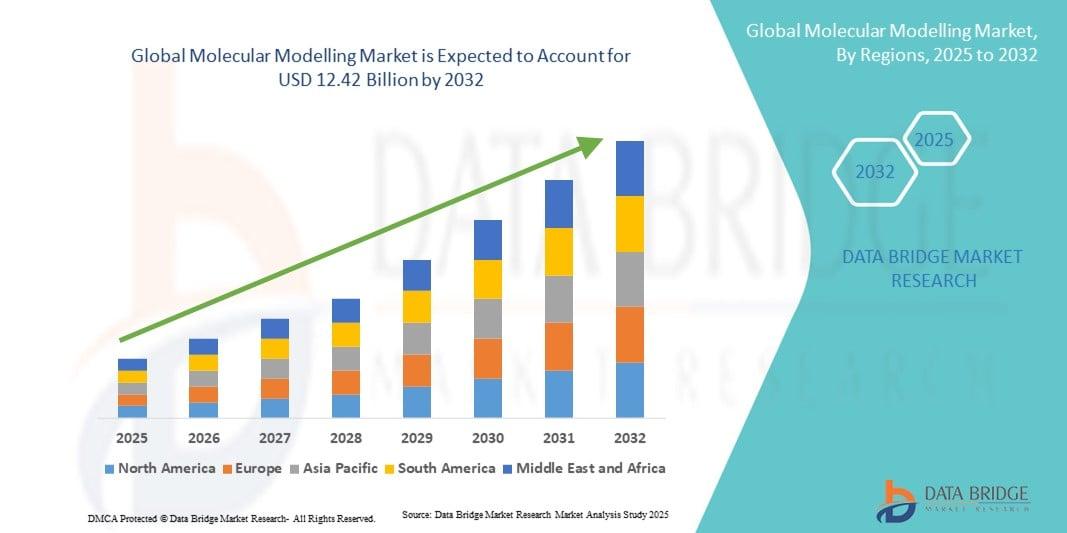
"Molecular Modelling Market Summary: According to the latest report published by Data Bridge Market Research, the Molecular Modelling Market The global molecular modelling market size was valued at USD 4.22 billion in 2024 and is expected to reach USD 12.42 billion by 2032, at a CAGR of 14.43% during the forecast period The supreme Molecular Modelling...
A comfortable home begins with the right insulation. Florida homes deal with strong sunshine for much of the year, so keeping indoor spaces cool can be challenging. Spray foam insulation has become a trusted option because it seals small openings and helps reduce unwanted heat. Many homeowners wonder is spray foam insulation safe before making a decision. When installed by experienced...

For individuals planning to work or settle in Gulf countries, completing the GCC medical process is one of the most important steps before visa approval. Whether you are travelling for employment, residency, or long-term professional opportunities, a proper medical screening ensures compliance with Gulf health regulations. Gamca Medical Registration provides reliable and professional assistance...

The C9 Solvent Price Trend is an important topic for manufacturers, suppliers, procurement teams, and businesses involved in chemical processing, coatings, adhesives, and industrial cleaning applications. C9 solvent is a petroleum-derived hydrocarbon solvent widely used because of its strong solvency properties and versatility across various industrial sectors. As industrial demand continues to...

Every ride should feel smooth, powerful, and effortless. Yet countless cyclists unknowingly sacrifice speed, efficiency, and the lifespan of their bikes because they overlook one essential maintenance step: Wet bike chain lubrication. If you're serious about getting the absolute best from your bicycle, now is the time to act. At Concept Electric Bikes, we make it easier than ever to...
