


Build vs Buy: Should You Use a Connector or Custom Xero Salesforce Integration?
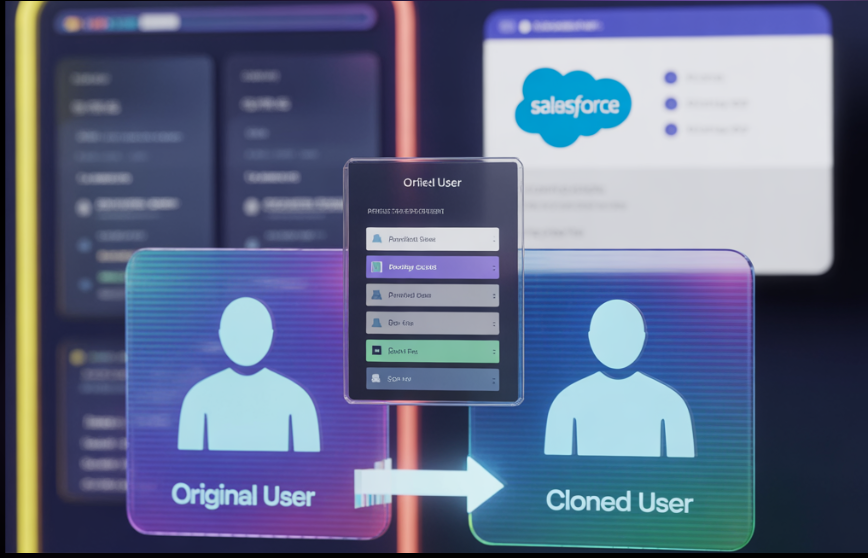
Integrating your CRM with accounting systems is a business imperative — especially when your finance and sales teams depend on accurate, up-to-date data. A Xero Salesforce Integration connects customer relationship management and financial platforms to streamline invoices, payments, customer records, and revenue workflows. But when deciding how to integrate, businesses face a classic dilemma: build a custom integration tailored to their needs, or buy a pre-built connector that works out of the box?
This article walks through the major considerations — from business needs, technical complexity, total cost of ownership, and long-term scalability — to help you make an informed choice. Real product capabilities and patterns from leading solutions like EW Xero are referenced to ground the discussion in practical, real-world context.
What a Xero-Salesforce Integration Should Solve
Before comparing build vs buy, let’s align on the core value a Xero Salesforce Integration delivers:
-
Unified customer and financial data: No more toggling between systems for account info or payment status.
-
Automated invoicing and payment tracking: Reduce manual entry and errors by syncing financial transactions.
-
Better visibility for sales and finance: Sales teams see invoice status and overdue balances without needing Xero access.
-
Streamlined quote-to-cash: Sync quotes, invoices, and purchase orders between systems automatically.
These benefits improve cash flow, reduce billing cycle time, and enhance collaboration across teams — whether you choose to build or buy.
Option 1: Buy a Connector – Faster Time to Value
What is a Connector?
A connector is a pre-built integration developed by a third party that links Salesforce and Xero with minimal configuration. A good example is the EW Xero Connector, a native application that syncs Customers, Invoices, Payments, Products, and more between Salesforce and Xero out of the box.
Major Advantages of Buying
1. Quick Deployment and Lower Initial Cost
Pre-built connectors can be installed and configured in hours or days — ideal when you need minimum disruption. You don’t start from scratch.
2. Built-in Field Mapping and Sync Controls
Connectors come with pre-configured mappings and controls for how data flows between systems, reducing setup time and risk.
3. Admin-Friendly Controls
Many connectors provide dashboards and toggle switches so admins can decide what syncs and when — with options for real-time or scheduled syncing.
4. Feature Richness Without Coding
Good connectors include advanced features like two-way invoice sync, purchase order integration, multi-org and multi-currency support, and attachment syncing — often without needing development.
5. Lower Upfront Risk
Since connectors are already tested and maintained, there’s less risk of unforeseen bugs or architectural issues that plague custom integrations.
Typical Connector Limitations
-
Limited custom logic: Out-of-the-box connectors can’t handle complex business rules unique to your org.
-
Feature gaps: Some connectors may not support niche requirements (e.g., custom tax logic, advanced revenue recognition).
-
Dependency on vendor updates: You rely on the provider to keep pace with API changes or new Salesforce/Xero features.
Option 2: Build a Custom Integration – Total Control and Flexibility
What is a Custom Integration?
A custom integration means developing a bespoke data sync between Salesforce and Xero Salesforce Integration using APIs, middleware (like MuleSoft, Workato, or Zapier), and custom business logic. This route gives you full control over exactly how the systems interact but requires development expertise and ongoing maintenance.
Advantages of Building Custom
1. Tailor Fit for Complex Business Processes
If your sales and finance workflows are highly unique — with custom objects, approval flows, or niche financial processes — a custom build ensures the integration behaves exactly as needed.
2. Deeper Logic and Automation
Custom solutions can embed advanced business rules (e.g., conditional mappings, intelligent reconciliation flows, audit logging) that plug into your broader enterprise architecture.
3. Better Alignment to Long-Term Roadmap
A built solution can be extended for new use cases as your business grows — such as analytics, AI-driven insights, or predictive cash flow forecasting.
4. Seamless Integration with Enterprise Middleware
Custom solutions often leverage enterprise middleware and events (like Salesforce Change Data Capture) to ensure near real-time, scalable, and governed data flows Xero Salesforce Integration.
Drawbacks of a Custom Integration
-
Longer time to deploy: Building and testing takes weeks or even months.
-
Requires specialist skills: You’ll need developers familiar with Salesforce, Xero APIs, authentication (OAuth), and error handling.
-
Higher initial cost: Custom development and testing are more expensive upfront than buying a ready-made connector.
-
Ongoing maintenance: APIs evolve and edge cases arise — you must own the fixes.
Technical forums frequently note that integration projects “are easy until you hit real business logic and edge cases,” highlighting the challenges of custom efforts without strong planning.
Compare Build vs Buy: Decision Criteria
Here’s a practical framework to decide between buying a connector and building custom:
|
Criterion |
Buy Connector |
Build Custom |
|
Speed of Implementation |
Fast (hours/days) |
Slow (weeks/months) |
|
Upfront Cost |
Lower |
Higher |
|
Customization Level |
Limited |
Unlimited |
|
Maintenance Ownership |
Vendor |
Your team |
|
Scalability |
Moderate |
High |
|
Control Over Logic |
Limited |
Complete |
|
Dependencies on Third Parties |
Yes |
No |
When Buying a Connector Makes Sense
Choose a connector if:
-
Your invoicing and customer sync needs are standard.
-
You need fast deployment and low implementation risk.
-
You prefer minimal technical overhead.
-
You value built-in features like real-time sync and admin dashboards.
-
You don’t foresee complex finance logic or bespoke workflows.
For example, EW Xero Salesforce Integration Connector enables two-way sync of invoices, payments, products, and purchase orders without coding and supports multi-org setups — covering most typical business needs.
When Building Custom Is the Right Path
Opt for custom integration if:
-
Your business has custom objects, complex tax logic, or regulatory requirements.
-
You need to incorporate AI or analytics workflows on top of the integration.
-
You plan to extend integration into broader automation (e.g., automated order-to-cash, risk scoring).
-
You want full control over the integration lifecycle and behavior.
-
You manage multiple accounting systems or nonstandard financial models.
Hybrid Approach: Best of Both Worlds
In many cases, a hybrid approach works well:
-
Start with a connector to get basic sync and workflows up quickly.
-
Extend with custom logic where needed (e.g., complex mappings or analytics).
-
Use middleware to orchestrate advanced labor-saving processes.
This phased strategy accelerates value while keeping long-term flexibility.
Best Practices for Any Integration Path
Whether building or buying your Xero Salesforce Integration, follow these best practices:
1. Define Clear Data Models and Mappings
Map how fields in Salesforce relate to Xero entities including tax codes, currency, and tracking categories.
2. Use Error Logging and Alerts
Don’t let sync failures silently break finance processes — implement monitoring and notifications.
3. Plan for Multi-Org and Multi-Currency
If your business spans regions or legal entities, ensure the integration handles multi-entity setups correctly.
4. Secure Data and APIs
Use OAuth, scoped credentials, and encryption to keep financial data protected.
5. Test Thoroughly
Validate with real-world scenarios including partial payments, credits, and edge-case invoices.
Final Thoughts
A Xero Salesforce Integration can transform how your sales and finance teams work, reduce costly errors, speed up billing cycles, and improve cash flow visibility. Whether you buy a purpose-built connector like EW Xero for rapid deployment or build a custom solution tuned to your business logic, the integration you choose should align with your strategic goals, technical capability, and growth plans.
If you’re leaning toward a connector but want a tailored experience with robust support and scalability, products like EW Xero offer a Salesforce-native solution that brings two-way sync, field mapping, and financial visibility directly into your CRM without middleware.
Catégories
Lire la suite
"Executive Summary Women’s Digital Health Market Size and Share Analysis Report CAGR Value The global women’s digital health market size was valued at USD 3.08 billion in 2024 and is expected to reach USD 12.58 billion by 2032, at a CAGR of 19.20% during the forecast period With the use of few steps or the combination of several steps, the...

Impact tactique de Deadlock Deadlock, la nouvelle agente de Valorant récemment intégrée par Riot Games, a rapidement changé la donne dans le jeu tactique. Ses compétences sont spécialement conçues pour le contrôle de zone et la mise en place de stratégies précises, ce qui a bouleversé le méta, notamment en mode...

Men’s health is becoming a top priority in 2026 as more individuals focus on maintaining energy, strength, and overall wellness. However, modern lifestyles, stress, poor diet, and aging can affect hormone balance, stamina, and daily performance. Many men experience low energy, reduced confidence, and decreased vitality over time. While lifestyle changes help, they may not always be enough...

The current speed of content creation growth has reached its highest point in history. People use podcasts and videos and online platforms to share their ideas while they build their brands and establish connections with their audiences. The high cost of recording equipment makes it difficult for people to begin their podcasting journey because they need to purchase everything necessary...

Finding a life partner has become easier than ever with online matchmaking platforms. Instead of relying only on relatives or social circles, people can now connect with potential partners from different cities, communities, and backgrounds. However, with so many profiles available, one common question remains: How can you find genuine marriage matches online? The answer lies in choosing...
