How to Add Name in Ration Card After Marriage or Child Birth – 2026 Guide
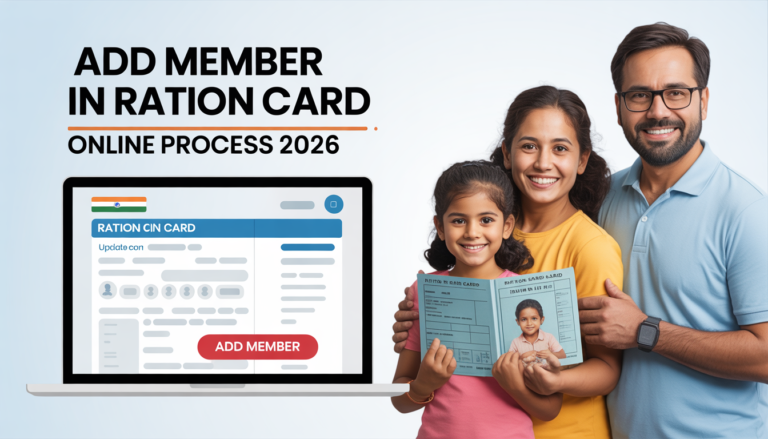
A ration card add Member is not a static document. Life moves — families grow, marriages happen, children are born — and your ration card needs to keep pace with these changes. Adding a new member to your ration card is not just a formality. It is the step that ensures every person in your household receives their rightful monthly food grain entitlement from the Public Distribution System. A member not listed on the card simply does not exist in the PDS database, which means they cannot collect subsidized food grains on their own and are invisible to government welfare schemes that use ration card data for beneficiary identification.
Whether you have just welcomed a newborn, completed a marriage and need to add your spouse, or are adding a relative who has permanently joined your household — this guide covers the complete process for ration card name addition online and offline in 2026. We walk you through the specific documentation for each case, the step-by-step application process, realistic timelines, and the most common reasons additions get delayed or rejected.
Why Timely Member Addition in Ration Card Matters
Under the National Food Security Act, 2013, food grain entitlement for PHH (Priority Household) card holders is calculated on a per-member basis — 5 kilograms per person per month. Every member who is not on the card means 5 kg of subsidized rice or wheat that your household is simply not receiving. For a family that adds a newborn and delays the registration by six months, that is 30 kilograms of entitled food grain lost during the gap period — a real and avoidable cost for low-income families.
Beyond food grains, an unregistered household member may miss out on individually targeted welfare schemes. Several state governments and the central government run schemes where individual-level NFSA enrollment is a prerequisite — health schemes, scholarship programs, livelihood support, and DBT (Direct Benefit Transfer) payments. Getting your new family member added to the ration card promptly protects their access to this entire ecosystem of entitlements.
Adding Spouse After Marriage – Ration Card Name Addition Process
Marriage is the most common reason adults need to be added to an existing ration card. When a person marries and moves into their spouse’s household, they typically need to be deleted from their parents’ ration card and added to their new household’s card. Both processes — deletion from the old card and addition to the new one — need to happen to avoid the appearance of duplicate beneficiary enrollment, which the PDS system flags and can use to reject or cancel both cards.
Step 1 – Obtain Deletion Certificate from Previous Ration Card
Before applying to add the spouse to the new household’s ration card, obtain a member deletion certificate or a removal acknowledgment from the ration office or PDS portal where the old card was registered. In states with digitized PDS systems, this can be done online through the member deletion section of the state portal. The deletion certificate confirms that the person’s name has been removed from the previous card — this document is mandatory in most states before the addition to a new card can be processed.
Step 2 – Apply for Member Addition in New Household’s Card
Once the deletion certificate is in hand, visit your state’s PDS portal or local ration office and submit a member addition request. For online submission, log in to the portal, navigate to ‘Ration Card Services’ or ‘Member Addition’, select the ration card to which the spouse is being added, and fill in the new member’s personal details — full name as per Aadhaar, date of birth, gender, Aadhaar number, and relationship to the head of household. Upload the required documents and submit. Save the acknowledgment number for tracking.
Documents Required for Spouse Addition After Marriage
-
Marriage certificate: Registered marriage certificate from the municipal corporation, gram panchayat, or court. In states without mandatory marriage registration, a marriage certificate issued by the temple, church, mosque, or religious authority along with a self-declaration may be accepted.
-
Aadhaar card of the spouse being added
-
Deletion certificate or removal acknowledgment from the spouse’s previous ration card
-
Existing ration card number of the household the spouse is joining
-
Passport-size photograph of the spouse (in some states)
-
Address proof of the new household if the spouse’s Aadhaar still shows the previous address
Newborn Child Addition in Ration Card – Documents & Process
Adding a newborn to the family ration card is one of the most time-sensitive member additions because parents often delay it under the assumption that a very young child does not need to be on the ration card. This is a costly misconception. Under NFSA, the per-member food grain entitlement applies to every registered household member regardless of age — a newborn added promptly means an additional 5 kg of subsidized food grains per month from day one.
The addition process for a newborn is simpler than the marriage case because there is no deletion from a previous card to worry about. The child is a new entrant into the PDS system.
Documents Required for Newborn Baby Addition in Ration Card
-
Birth certificate of the child: This is the primary document. It can be a hospital-issued birth certificate, or one registered with the municipal corporation or gram panchayat. Most states now issue digitally signed birth certificates through the Civil Registration System (CRS portal) — these are fully valid.
-
Aadhaar card of the child: For children below 5 years, a Baal Aadhaar (blue Aadhaar card) is issued. While it is encouraged, Baal Aadhaar is not universally mandatory for the addition process — the birth certificate is the primary document. However, for ONORC portability and biometric authentication at FPS, Aadhaar enrollment should be completed as early as possible.
-
Parents’ Aadhaar cards: Needed to verify the household linkage
-
Existing ration card number of the family
-
Filled member addition application form (available on state PDS portal for download)
Ideally, parents should apply for newborn addition within 60 days of the child’s birth to avoid any gap in entitlement. Many states also run hospital-level facilitation programs where the food department coordinates with maternity wards to prompt new parents to initiate the ration card addition before discharge — if such a program exists in your district, the ward nurse or social worker will inform you.
Ration Card Name Add Online – Complete Step-by-Step Process 2026
The online member addition process follows a broadly consistent flow across all states. Here is the complete walkthrough.
-
Visit your state’s official PDS portal — for example, fcs.up.gov.in for Uttar Pradesh, food.rajasthan.gov.in for Rajasthan, or epds.bihar.gov.in for Bihar. Log in using your registered mobile number and OTP, or through your state’s SSO or Jan Seva Kendra credentials.
-
Navigate to the Ration Card Services section. Look for options labeled ‘Member Addition’, ‘Add Family Member’, ‘Parivar Mein Naam Jodna’, or similar. The exact label varies by state but the function is consistently available on all major state portals.
-
Enter your existing ration card number to pull up your household’s record. Verify that all currently listed members display correctly before proceeding with the addition.
-
Fill in the new member’s details — full name as per Aadhaar, date of birth, gender, relationship to head of household, and Aadhaar number. For newborns without Aadhaar, enter available details and note in the remarks field that Aadhaar enrollment is in process.
-
Upload scanned copies of all required documents in the specified format (typically JPEG or PDF, under 500 KB per file). Make sure each document is clear, fully visible, and properly oriented.
-
Review the completed form carefully before submission. Once satisfied, submit the application. An acknowledgment number will be generated — save this immediately. Use this number to track the addition request on the same portal under the status check section.
For states where online member addition is not yet fully functional, or for those who prefer in-person submission, the offline process involves visiting your local ration office with the same set of documents, filling out a physical member addition form (RC-2 or state equivalent), and submitting it at the counter. The officer will issue a stamped receipt.
Complete Documents Required for Member Addition in Ration Card
Regardless of the reason for addition — marriage, newborn, or other family member — the following core documents are required across most states. Category-specific additional documents are noted where applicable.
-
Aadhaar card of the new member being added (mandatory in most states; Baal Aadhaar or birth certificate for children under 5)
-
Existing ration card of the household (photocopy and original for offline submission)
-
Proof of relationship: Marriage certificate for spouses; birth certificate for children; any other legal document establishing family relationship for other additions
-
Deletion certificate from previous ration card (mandatory for adults who were previously on another household’s card — especially for marriage cases and family separations)
-
Passport-size photograph of the new member (required in some states; check your state portal)
-
Address proof if the new member’s Aadhaar address does not match the household address where they are being added
-
Self-declaration form: In some states, a declaration is required stating that the person being added is not already listed on any active ration card elsewhere in the state
Timeline for Ration Card Member Addition – How Long Does It Take?
Once you submit a member addition request — online or offline — the processing timeline depends on your state’s administrative workflow and the completeness of your documents. Here is a realistic expectation for 2026.
In states with fully digitized PDS workflows such as Andhra Pradesh, Telangana, and parts of Karnataka, simple addition requests — particularly for newborns with a clean birth certificate — are processed within 7 to 10 working days. There is no field verification required for newborn additions since the household is already registered and verified. For marriage-based additions, where deletion from the previous card is also involved, the overall process from deletion initiation to final addition confirmation typically takes 15 to 25 working days.
In states with partially manual workflows — including many districts in UP, Bihar, and Rajasthan — the timeline for member addition ranges from 15 to 30 working days for newborns and up to 45 working days for marriage cases or additions that require cross-district deletion verification. Field verification is sometimes required even for member additions, particularly in states that conduct periodic household surveys to prevent ghost beneficiary entries.
If your addition request has been pending beyond 30 working days without any update, log into your state PDS portal and check the application status using your acknowledgment number. If the status has not moved from ‘Under Review’ for more than 30 days, file a formal grievance through the portal’s grievance section or contact the District Supply Officer directly. NFSA provisions support timely processing of all household updates, and long delays without reason are grounds for a formal complaint.
Common Mistakes to Avoid When Adding a Member to Ration Card
-
Not obtaining a deletion certificate first: Adding an adult member who is still listed on another active ration card without first deleting them from that card is the most common reason marriage-case additions are rejected. Always process the deletion before the addition.
-
Name mismatch with Aadhaar: The name entered in the addition form must exactly match the name on the new member’s Aadhaar card — same spelling, same order. Even a missing middle name or an abbreviated initial causes a rejection flag.
-
Uploading unclear document photos: Blurry, dark, or partially cropped document uploads are rejected during scrutiny. Photograph documents in good natural light and ensure all four edges of the document are visible in the frame.
-
Delaying newborn addition: Parents often postpone the addition thinking the child is too young to need it. Every month of delay is a month of unreceived food grain entitlement. Apply within 60 days of birth.
-
Not saving the acknowledgment number: Without the reference number, you cannot track your addition request online or escalate if there is a delay. Screenshot or photograph the acknowledgment page immediately after submission.
Frequently Asked Questions
1. How to add wife’s name in ration card after marriage?
To add your wife’s name to your ration card after marriage, you need two things to happen simultaneously: her name must be deleted from her parents’ or previous household’s ration card, and then added to your household’s card. Start by initiating the deletion from her previous card — this can be done online through the relevant state’s PDS portal or at the local ration office. Once you have the deletion certificate or acknowledgment, log in to your state PDS portal, go to ‘Member Addition’, enter your ration card number, fill in her details, and upload the marriage certificate along with her Aadhaar card and the deletion certificate. The combined process typically takes 15 to 25 working days from start to finish.
2. How long does it take to add a newborn to the ration card?
For newborn additions, the timeline is generally shorter than other types of additions because there is no deletion from another card involved. In digitally advanced states, the addition is processed within 7 to 10 working days of submitting a complete application with a valid birth certificate and parents’ Aadhaar details. In states with partially manual systems, it can take 15 to 30 working days. The key is to apply early — within 60 days of birth — so that your household’s monthly food grain entitlement increases without a prolonged gap. Once the addition is confirmed, it is reflected on the state portal and at your assigned Fair Price Shop from the next distribution cycle.
3. Is adding a member to ration card free of charge?
Yes, adding a member to an existing ration card is completely free when done through your state’s official PDS portal online, or directly at your local ration office in person. The government does not charge any fee for member addition requests. If you use a Common Service Centre (CSC) for assisted online submission, they may charge a nominal service fee — typically Rs. 20 to Rs. 50 — for the operator’s assistance, but the government processing itself has no cost. Do not pay any unauthorized fee to agents, brokers, or unofficial websites claiming to process additions on your behalf.
4. Can a member be added without an Aadhaar card?
For adults, Aadhaar is now effectively mandatory in most states for member addition. Without it, the application will be incomplete and will not pass the digital verification stage. If the new member does not yet have an Aadhaar card, enroll them at the nearest Aadhaar Seva Kendra immediately. Use the enrollment slip as a temporary substitute while the card is being processed — some states accept the slip for up to 90 days. For newborns, a Baal Aadhaar (blue Aadhaar for children under 5) is accepted, and a birth certificate is the primary document in states where Baal Aadhaar enrollment has not yet been completed.
5. From when does the food grain entitlement increase after member addition?
Once your ration card add member addition request is approved and updated in the state PDS database and at your Fair Price Shop’s PoS (Point of Sale) device, the increased entitlement — 5 additional kilograms per month for each new PHH member — typically kicks in from the next monthly distribution cycle. In most states, distribution cycles run from the 1st to the end of each calendar month. If your addition is approved mid-month, the increased quota usually applies from the following month. Check with your FPS dealer after the addition is confirmed to verify that their PoS device reflects the updated member count for your household before you go to collect your monthly allocation.
To remove a member from your ration card, visit /ration-card-remove-member/. For the complete documents required for any ration card change, see /ration-card-documents/. To check status of your member addition request, visit /ration-card-status-check/.
Κατηγορίες
Διαβάζω περισσότερα
" According to the latest report published by Data Bridge Market Research, the Smart Agriculture Market The global smart agriculture market was valued at USD 9.30 billion in 2024 and is expected to reach USD 14.93 billion by 2032. During the forecast period of 2025 to 2032 the market is likely to grow at a CAGR of 6.10%, primarily driven by limited arable...

According to the latest report published by Data Bridge Market Research, the Home Bedding Market The Global Home Bedding Market size was valued at USD 96.92 billion in 2025 and is projected to reach USD 149.65 billion by 2033, expanding at a CAGR of 5.58% throughout the forecast period.wwwwwwwwwwwww An influential Home Bedding Market document comprises of a detailed analysis of...
Le monde des jeux d’argent en ligne connaît une évolution constante, avec l’apparition de nombreuses plateformes qui proposent des expériences différentes aux joueurs. Parmi ces nouvelles tendances, les casinos non AAMS attirent l’attention des amateurs de jeux qui recherchent une alternative aux opérateurs traditionnels...
In Path of Exile 2, survivability and damage often go hand in hand—especially for melee builds that must stay close to POE 2 Currency danger. Frostbreath, a Unique one-handed mace, is an excellent early-to-mid game weapon that blends offense and defense through one powerful mechanic: Freeze. Core Strength: Accelerated Freeze Buildup Frostbreath’s defining feature is its ability to...

Official Facebook@:- https://www.facebook.com/VitalHempGummiesNewZealand/ https://www.facebook.com/groups/vitalhempgummiesnewzealand https://www.facebook.com/VitalHempGummiesReviewsNZ/ Official Blogs@:- https://www.researchhub.com/paper/11160229/vital-hemp-gummies-new-zealand-all-you-need-to-know-before-buying...