


Top 5 Affordable Vector Art Conversion Services in 2026: Features, Pricing, and Quality
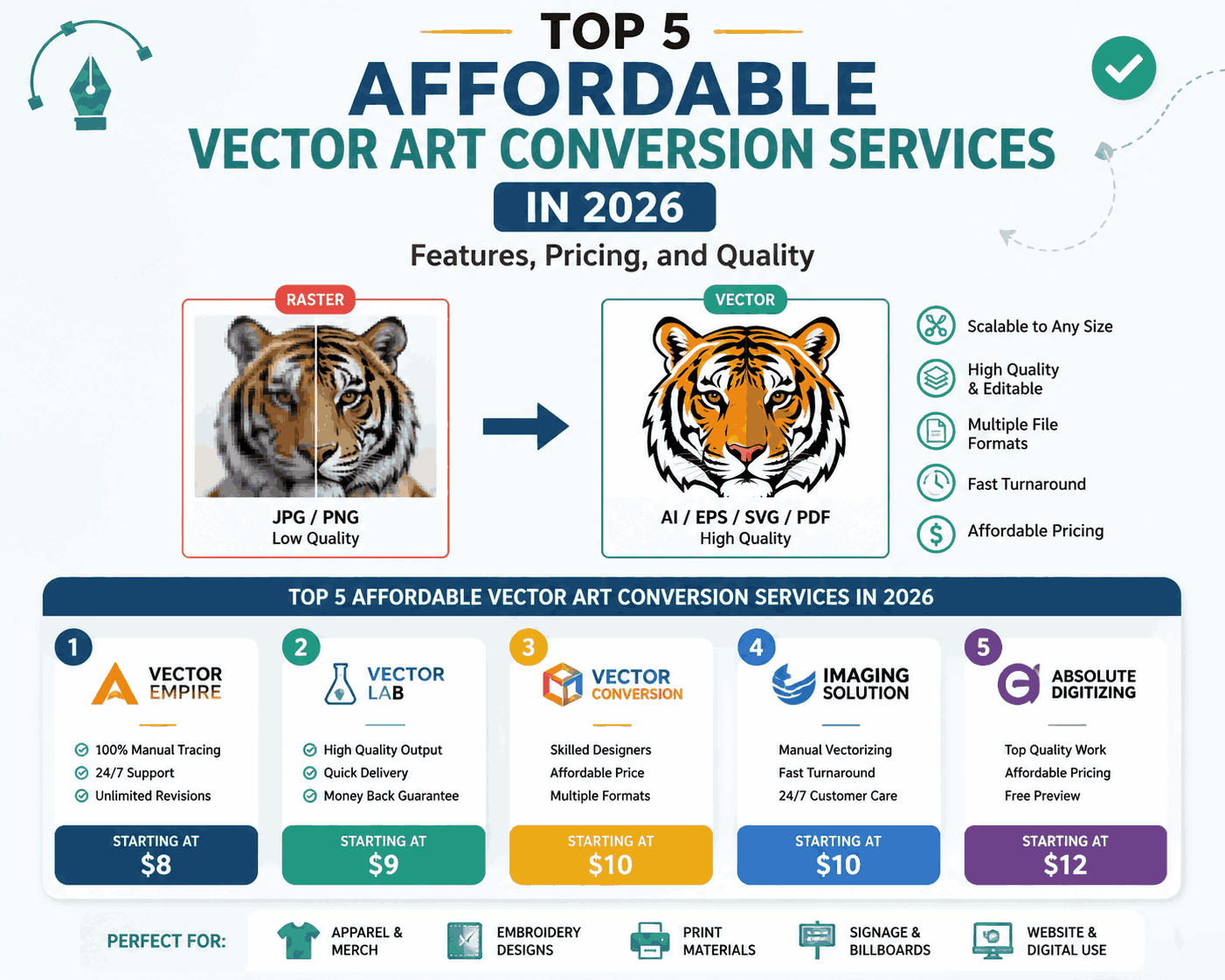
If you’re looking to turn your raster images into scalable vector graphics without breaking the bank, this guide is for you. Vector art conversion is essential for logos, T-shirts, print designs, and professional branding. In 2026, several reliable and budget-friendly services can help you convert images into high-quality vectors quickly.
Main Answer
The top 5 affordable vector art conversion services in 2026 are:
- Vector Magic – Best for automated high-quality conversions.
- Fiverr Freelancers – Budget-friendly and flexible options.
- Vexels Conversion Service – Focused on designs for merchandise and print.
- Convertio – Fast online tool with multiple file format support.
- Upwork Designers – Custom work from professionals at reasonable rates.
These services combine quality, speed, and affordability, depending on whether you prefer DIY tools or professional designers.
Detailed Explanation
1. Vector Magic
- Features: Automatic tracing, smooth lines, color adjustments, and multiple formats (SVG, EPS, PDF).
- Pricing: Around $7–$15 per image; subscription plans available.
- Quality: Excellent for logos and simple illustrations.
2. Fiverr Freelancers
- Features: Wide range of freelancers offering hand-traced and automated conversions.
- Pricing: $5–$50 per project depending on complexity.
- Quality: Varies by freelancer; check reviews and portfolios.
3. Vexels Conversion Service
- Features: Vectorization for merchandise designs, transparent backgrounds, layered files.
- Pricing: $10–$25 per image.
- Quality: Good for e-commerce and print-ready designs.
4. Convertio
- Features: Online converter supporting JPG, PNG, PDF to vector formats.
- Pricing: Free for small files; paid plans $9.99/month for higher limits.
- Quality: Fast and decent; manual touch-ups may be needed for detailed graphics.
5. Upwork Designers
- Features: Custom hand-tracing, professional corrections, multiple revisions.
- Pricing: $15–$100 per image depending on complexity and experience.
- Quality: High-quality professional output, suitable for premium branding.
Step-by-Step Guide
- Choose Your Service: Decide between automated tools or freelancers/pro designers.
- Prepare Your Image: Use high-resolution PNG or JPG for best results.
- Upload and Convert: Follow service instructions (Vector Magic, Convertio, etc.).
- Review the Output: Check paths, colors, and edges for accuracy.
- Download Vector File: Save in SVG, EPS, or AI format.
- Edit if Needed: Use Illustrator or Inkscape for minor fixes.
Examples / Practical Use Cases
- Logo Design: Convert your brand logo for print banners without losing quality.
- T-Shirt Printing: Ensure crisp designs on any size garment.
- Illustrations: Artists can digitize hand-drawn sketches for digital portfolios.
- Marketing Materials: Scale graphics for posters, flyers, and social media.
Pros and Cons
| Service | Pros | Cons |
|---|---|---|
| Vector Magic | Quick, high-quality, automated | Subscription cost for batch conversion |
| Fiverr | Budget-friendly, variety | Quality varies; may need revisions |
| Vexels | E-commerce ready, layered files | Limited customization for complex images |
| Convertio | Fast, online | Less accurate for detailed artwork |
| Upwork | Professional, custom | Higher cost per image |
Common Mistakes
- Using low-resolution images → produces jagged or inaccurate vectors.
- Skipping manual review → minor errors may affect prints.
- Ignoring file format requirements → printers often need EPS/SVG.
- Selecting cheapest freelancer without checking portfolio → risk of poor quality.
Expert Tips
- For logos, always request layered vector files for future edits.
- Keep original color palettes intact by choosing services that support color retention.
- Test small images before committing to bulk conversion.
- If you plan commercial use, verify licensing with the freelancer or service.
Conclusion
Affordable vector art conversion is more accessible than ever in 2026. Services like Vector Magic and Convertio are perfect for quick automated work, while Fiverr and Upwork provide hands-on customization for professional needs. By choosing the right service and following best practices, you can achieve high-quality vector graphics without overspending.
FAQs
What is vector art conversion?
It’s the process of transforming raster images (JPG, PNG) into scalable vector formats (SVG, EPS, AI).
Which service is best for beginners?
Vector Magic and Convertio are beginner-friendly with automated processes.
Are online converters reliable for commercial use?
Yes, but check the quality and licensing to ensure suitability.
Can I convert hand-drawn sketches?
Absolutely. Hand-traced freelancers on Fiverr or Upwork work best for detailed sketches.
What file format should I choose for printing?
EPS or SVG is recommended for high-quality prints and scalability.
الأقسام
إقرأ المزيد
A residence permit is an important document for individuals planning to live abroad for work, study, business, or family reasons. Every country establishes its own immigration policies, making it essential for applicants to understand the official requirements before beginning the application process. Careful preparation and complete documentation can make the experience more efficient....

Introduction Home appliances play an important role in everyday life, and when they develop technical issues, prompt service is essential to restore normal functionality. Whether it is a refrigerator, washing machine, microwave, dishwasher, or air conditioner, timely repairs can help prevent further damage and inconvenience. Many customers contact a Whirlpool Service Center to learn...

For patients seeking body contouring, understanding the different types of liposuction is essential. Those considering liposuction in Riyadh(عملية شفط الدهون في الرياض) should be aware of the various techniques available, how they work, and which method aligns best with their goals. Each approach offers unique benefits and considerations, making it crucial to select the right procedure for...

A new growth forecast report titled Data Fabric Market Share, Size, Trends, Industry Analysis Report, By Component (Software, Services); By Business Application; By Deployment Mode; By Vertical; By Region; Segment Forecast, 2022-2030 introduced by Polaris Market Research represents conclusive data on the overall market. It majorly targets to provide a detailed analysis of growth...

Top-opening toolboxes are an essential organizational solution for both professionals and DIY enthusiasts. These toolboxes are designed to keep tools secure and easily accessible, making them a staple in workshops, garages, and job sites. The materials used in the manufacturing of top-opening toolboxes are key to their durability, portability, and overall performance. Here's a breakdown of...
