Safe Research Practices on Anonymous Networks
Did you know that every time you visit a standard website, your browser leaks dozens of identifiers that can trace back to your physical home address? For researchers, journalists and privacy advocates, this trail is more than just a nuisance - it is a significant security risk. Navigating anonymous networks like Tor or I2P requires a shift in how you think about your digital footprint. You are not just changing your software - you are changing your entire approach to the internet to keep your identity private and your data secure.
Safe research is not about hiding illegal acts but about protecting your right to access information without being watched. When you enter these layers of the web, the standard rules of "click and trust" do not apply. You are entering a space where the lack of central authority means you are responsible for your own safety - this guide focuses on the practical steps you can take to maintain a clean digital environment while exploring these complex networks.
Understanding the Basics of Anonymous Networks
Anonymous networks function - bouncing your connection through multiple different points around the world - this process hides your original IP address, making it look like your traffic is coming from a completely different country. Because your data is wrapped in layers of encryption, intermediate nodes cannot see what you are doing or who you are - this structure is the foundation of privacy for millions of people who live under strict censorship or need to protect sensitive sources.
It is important to remember that anonymity is not a single tool you turn on. It is a state you maintain through constant care. Even with the best encryption, a single mistake - like logging into a personal social media account - can link your real identity to your anonymous session. You should view the networks as a separate workspace that never touches your daily digital life - this separation is what keeps your research untainted and your personal life private.
When you start, you might find that the speed is lower than what you are used to - this lag is a natural result of your data traveling a long, winding path to reach its destination. Patience is a necessary trait for any serious researcher in this field. If you are looking for a starting point, many people begin - looking through an overview of Tor network systems to understand which sites are currently active and which have disappeared.
Essential Tools for Secure Digital Research
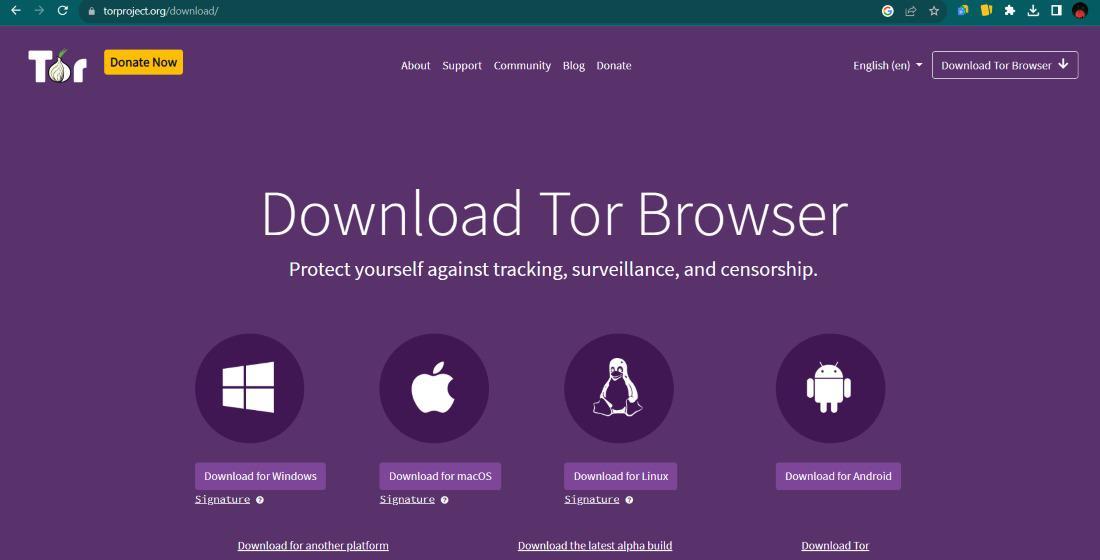
Your choice of software is the first line of defense - Many individuals use the Tor Browser, which is a modified version of Firefox designed to prevent "browser fingerprinting" Fingerprinting is a technique where websites collect small details about your screen resolution, fonts and battery level to create a unique ID for you. A good privacy browser makes your computer look identical to every other user on the network, making it impossible to pick you out of a crowd.
Beyond the browser, consider your operating system - If you are doing high risk research, running a "live" operating system from a USB stick is often better than using your standard computer - these systems do not save any data to your hard drive, meaning that once you unplug the USB, all traces of your session vanish - this is a powerful way to ensure that even if you accidentally download a malicious file, it cannot stay on your computer permanently.
- Tor Browser
The standard tool for accessing .onion addresses. - Virtual Private Network (VPN)
An extra layer that hides your Tor usage from your internet provider. - Tails OS
A portable operating system that leaves no trace on the host machine. - Encrypted Messaging
Tools like Signal or PGP for communicating with sources.
Behavioral Safety & Operational Security
Software can only do so much - your habits are what truly determine your safety. Professional researchers follow a strict set of rules called Operational Security or OpSec. The most basic rule is never to mix your "clean" life with your "anonymous" life, which means you should never use your real name, email or any username you have used elsewhere. Even small details, like mentioning the current weather in your city, can give away your general location to someone watching your chat logs.
Another common mistake is changing the size of your browser window. While it sounds strange, maximizing your window tells a website your exact screen resolution - this is a data point that helps identify you. Always leave the browser window at its default size. You should disable JavaScript whenever possible. While many modern sites need it to look good, JavaScript is a common way for attackers to run code that reveals your real IP address.
Researchers should also be careful about the types of content they interact with. Some areas of these networks contain adult content or questionable marketplaces. If your research leads you toward these areas, like checking a secure internet navigation guide or marketplace reviews, always ensure you are using a secondary device or a strictly isolated virtual machine to prevent any local data leaks or accidental exposure to malware.
Evaluating Sources in Unfiltered Environments
Because anyone can host a site on an anonymous network, the amount of misinformation is very high. Scams are frequent, especially when it involves financial services or marketplaces. You cannot rely on search engine rankings to tell you if a site is trustworthy. You must look for community feedback and cross reference information across multiple independent platforms. If something looks too good to be true, it almost certainly is a trap.
Vetting a site requires a critical eye - As an example, if you are looking at a new trading platform, you might read a deeper explanation of anonymous browsing risks or check community forums to see if other users have reported issues. Credibility is built over time. Sites that have been around for years are generally more reliable than those that popped up yesterday. For instance, an analysis of market security can help you understand how different platforms handle user data and disputes.
Finally, keep your goals clear - It is easy to get distracted or wander into dark corners of the web that are not relevant to your work. Stick to your research plan and document your findings in a secure, offline document. By staying focused and following the technical and behavioral steps, you can utilize the power of anonymous networks while keeping your real world identity safe and sound. For more general information on how these ecosystems are organized, you can check the main privacy-focused browsing guide available online.
FAQ
Is it illegal to browse anonymous networks?
In most democratic countries, simply accessing a network like Tor is perfectly legal - these tools are used by journalists, police and activists every day. The things you do while anonymous are still subject to the law. Always research the specific regulations in your own country before you begin.
Can I be tracked if I use a VPN besides Tor together?
While using both adds a layer of protection, it is not a "magic shield" If you log into your personal Gmail account, you are no longer anonymous to Google. Your security depends more on your behavior and what information you give away than just the tools you use.
What should I do if I accidentally click a suspicious link?
If you feel your session is compromised, the best step is to close the browser and restart your connection to get a new identity. If you are using a live OS like Tails, simply shut down the computer - this clears all temporary data and stops any active scripts that might be trying to trace you.
Do I need a special computer for this research?
You do not need a special computer but using a dedicated "research laptop" that does not contain your personal photos or documents is a very good idea. If that is not possible, using a "live" USB stick is a cheap and effective way to turn any computer into a secure research station.
Categorias
Leia Mais
Automotive wheels are fundamental circular elements that connect to tires and allow vehicles to move smoothly while maintaining balance and supporting loads. The Automotive Wheel Market size is expected to reach US$ 80.47 Billion by 2033 from US$ 50.87 Billion in 2025. The market is estimated to record a CAGR of 5.90% from 2026 to 2033. The increasing demand for lightweight,...

On arrival visa Egypt is an entry option designed for travelers who prefer to finalize their visa at the point of entry rather than applying beforehand. This type of visa provides flexibility and convenience for those visiting Egypt for tourism, business, or family visits, as it eliminates the need for lengthy pre-travel paperwork and allows immediate entry into the country upon landing at...
Because of the development of outsourcing, models of outsourcing have also changed and in the modern setting, functions like Marketing Analytics Services have been shifted into the wider sourcing strategies that are responsive to the changing business demands. Other authors like Lacity have cited new sourcing models like the value-added sourcing, co-sourcing, multi-sourcing and flexible...

" According to the latest report published by Data Bridge Market Research, the Europe Advanced Wound Care Market The Europe advanced wound care market, which was USD 3,634.12 million in 2023, is expected to reach USD 5,705.39 million by 2031, at a CAGR of 5.8% during the forecast period 2024 to 2031. The Europe Advanced Wound Care Market report not only benefits to save valuable...

The IT industry has transformed career opportunities for students and professionals across the world. With technology evolving rapidly, industries are constantly searching for skilled candidates who can adapt to modern software tools and development practices. This growing demand has encouraged many learners to explore reliable software training institutes in Trivandrum to build strong...