Securing the Unpatchable: Application Blocking and Virtual Patching with EaseFilter SDK
Zero-day exploits and legacy software create a significant headache for IT security teams. Often, a critical vulnerability is disclosed, but an official patch from the vendor won't be available for weeks—or worse, the software has reached end-of-life and will never receive an update again. How do you protect critical systems and data in the meantime?
Enter Virtual Patching and Application Blocking.
By leveraging the EaseFilter File System Filter Driver SDK, developers and security vendors can build robust, kernel-level defenses that neutralize threats before they can exploit vulnerabilities. The best part? You can secure the system without touching a single line of the vulnerable application's source code.
What is Virtual Patching?
In a traditional scenario, patching involves modifying an application’s binary code to fix a security flaw. Virtual patching, on the other hand, is a security mitigation tactic that implements a layer of protective policies to intercept and block exploit pathways.
Rather than altering the application itself, a virtual patch sits between the application and the operating system. It shields the vulnerability by monitoring behavior and blocking malicious I/O requests. This buys IT teams valuable time to test and deploy a permanent fix, or provides long-term, structural protection for systems that simply cannot be upgraded.
How EaseFilter SDK Powers Virtual Patching
EaseFilter SDK operates at the lowest levels of the Windows OS as a kernel-mode mini-filter driver. Because it sits directly between the Windows I/O Manager and the file system, it can inspect, modify, redirect, or completely deny system requests in real time.
Here is how you can leverage EaseFilter to create virtual patches and application blocking rules:
1. Granular Application Blocking (Process Filter)
When a vulnerability allows an attacker to execute arbitrary code, their ultimate goal is usually to spawn a malicious process or drop a payload. The EaseFilter Process Filter Driver allows you to monitor process and thread creation on the fly.
- Zero-Trust Execution: Define strict security rules that only allow signed, explicitly trusted applications to execute.
- Behavioral Blocking: If a vulnerable legacy app (e.g., an outdated PDF reader or legacy web server) attempts to spawn an unusual child process like cmd.exe or powershell.exe, your EaseFilter-powered application can intercept the PRE_CREATE request and return STATUS_ACCESS_DENIED, instantly neutralizing the exploit payload.
2. File-Level Exploit Mitigation (File Access Control)
Many exploits rely on dropping malicious scripts into specific directories or overwriting critical system files. With EaseFilter’s File Access Control, you can virtually patch these attack vectors by locking down file I/O operations.
- Preventing Payload Drops: Configure filter rules to block new file creation in sensitive or temporary directories if the request originates from a known vulnerable application.
- Tamper-Proofing: Protect configuration files, legacy databases, or critical executables from being modified, renamed, or deleted by unauthorized processes.
- Virtual Sandboxing: If a vulnerable application tries to read or write to a sensitive location, EaseFilter can dynamically redirect the I/O request to a safe, isolated virtual sandbox environment, tricking the exploit into executing harmlessly.
3. Registry Monitoring and Protection
Malware frequently modifies the Windows Registry to establish persistence after a successful exploit. The EaseFilter Registry Filter Driver allows you to track and aggressively block registry changes. If an attacker leverages a zero-day to alter system startup keys or downgrade security configurations, your software can intercept the registry call and cancel it before the OS ever registers the change.
Real-World Scenario: Shielding a Legacy Environment
Imagine a manufacturing facility relying on a critical, 15-year-old control application that only runs on Windows 7. The application has a known buffer overflow vulnerability, but the original software vendor went out of business a decade ago.
Using the EaseFilter SDK, a security engineer can write a custom driver to virtually patch the environment:
- Rule 1: Block the legacy application from initiating network-based file sharing, cutting off lateral movement.
- Rule 2: Prevent the application from spawning any unauthorized child processes, neutralizing remote code execution (RCE) attempts.
- Rule 3: Lock the application's installation directory with a read-only policy so its DLLs cannot be hijacked or replaced by a malicious actor.
The buffer overflow vulnerability technically still exists in the legacy code, but the pathways to exploit it are completely severed at the kernel level.
Why Choose EaseFilter SDK for Security Development?
Developing kernel-mode drivers from scratch is notoriously difficult and highly prone to causing system crashes or Blue Screens of Death (BSODs). EaseFilter abstracts this immense complexity, providing a robust, heavily tested framework.
- Rapid Deployment: Respond to zero-day threats by writing and deploying a custom virtual patch rule in hours instead of waiting weeks for vendor updates.
- Developer-Friendly: Includes comprehensive C++, C#, and .NET APIs, alongside extensive sample code and documentation.
- High Performance: Built natively on Microsoft’s minifilter architecture to ensure stable, low-latency execution that won't bottleneck system resources.
As long as legacy software exists and zero-day vulnerabilities continue to emerge, virtual patching will remain an essential defensive strategy. By leveraging the EaseFilter File System Filter Driver SDK, security developers can easily implement highly specific application blocking and I/O interception rules—delivering the ultimate tool for securing the unpatchable.
Categorie
Leggi tutto
If you have recently started playing golf, chances are you have finished a round, looked at your scorecard, and wondered whether your score is actually good. Every golfer asks this question at some point. The answer depends on your experience, the course you are playing, and how consistently you can hit the ball. Many beginners assume that lower scores only come from improving their swing....

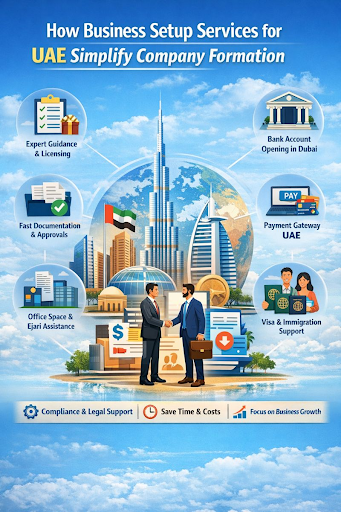
The United Arab Emirates (UAE) has emerged as one of the most attractive destinations in the world for entrepreneurs, startups, and multinational corporations. With its strategic location, tax-friendly environment, world-class infrastructure, and business-friendly regulations, the UAE offers immense opportunities for growth. However, despite its advantages, company formation in the UAE can be...
Making Cisco 300-735 Exam Study Simple and Stress-Free Preparing for the Cisco 300-735 exam does not have to feel stressful or confusing. Many students struggle because they study too much without a clear plan. They read many resources but still feel unsure about what really matters for the exam. Choosing clear and trusted Cisco 300-735 study material makes preparation simple, focused, and more...

Need Professional Cabinet Installation in Lahore Pakistan? Find help with the Best Cabinet Repair in Lahore Pakistan for your home upgrades here. Upgrading your kitchen or storage areas improves how your home functions daily. Residents often seek Professional Cabinet Installation in Lahore Pakistan to fix storage gaps or modernize their living spaces. Local service providers like Ali Carpenter...

The global sensing cable industry is witnessing significant expansion as organizations across various sectors increasingly adopt advanced monitoring and detection technologies. Sensing cables play a crucial role in identifying changes in temperature, strain, vibration, moisture, and other environmental conditions, making them essential components in industrial automation, infrastructure...