


Designing Websites That Look Great on Every Screen
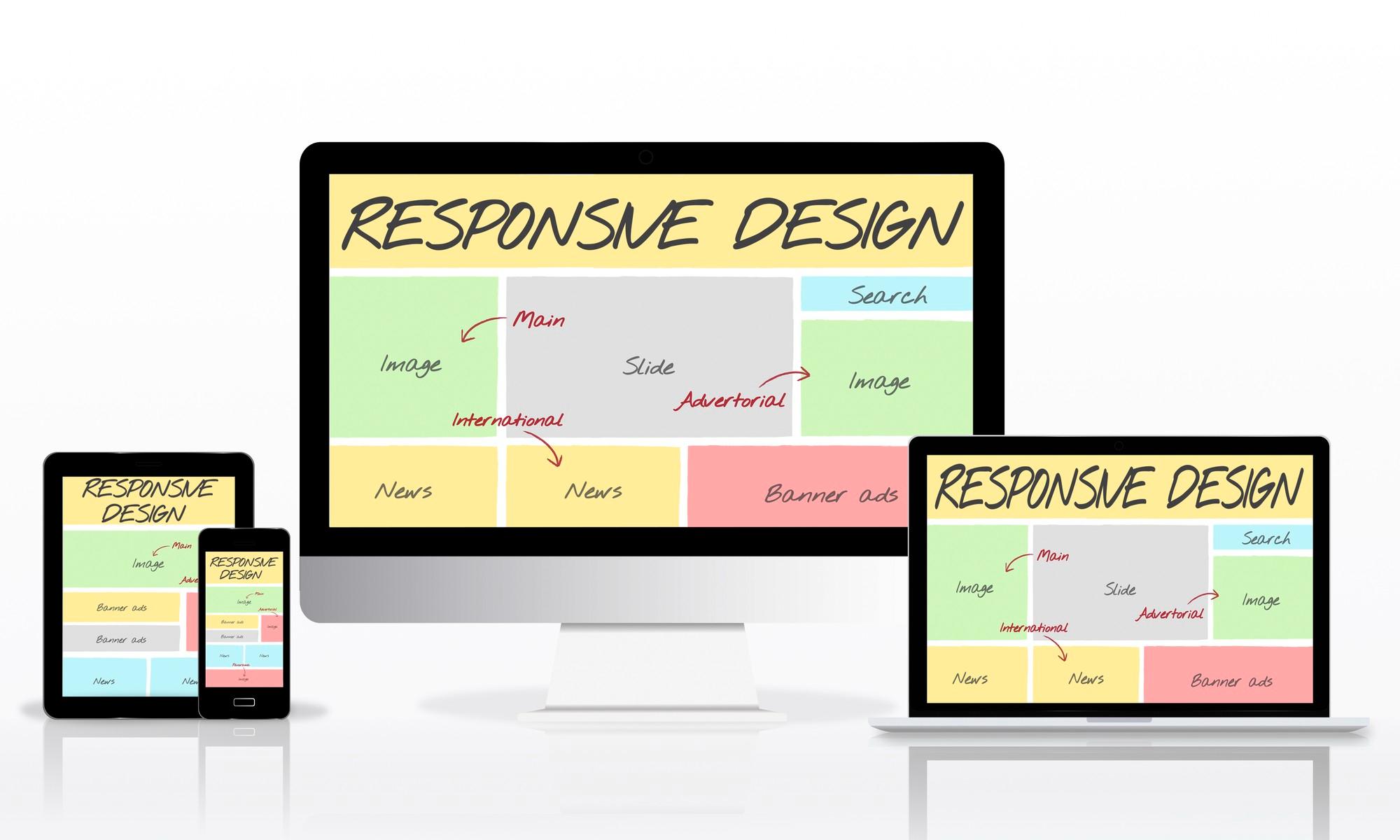
In today’s digital age, people access websites from a variety of devices, from large desktop monitors to compact smartphones. With such diversity in screen sizes and resolutions, creating a website that looks great on every screen is no longer optional; it’s essential. A website that fails to adapt can frustrate users, increase bounce rates, and hurt your brand credibility. This article explores strategies, best practices, and essential principles for designing websites that deliver a seamless experience across all devices, with tools like Fyptt helping teams preview and test layouts across multiple screen sizes.
Understanding the Importance of Responsive Web Design
The foundation of designing websites that look great on every screen is responsive web design (RWD). Responsive design ensures that a website automatically adjusts its layout and content based on the device and screen size being used.
Key Benefits of Responsive Web Design:
-
Improved User Experience: Users can easily navigate and interact with your website regardless of their device.
-
Higher SEO Rankings: Search engines, especially Google, prioritize mobile-friendly websites.
-
Cost-Effectiveness: Maintaining a single responsive website is more efficient than creating separate versions for desktop and mobile.
-
Consistency Across Devices: Your brand image remains uniform across all platforms.
Responsive design isn’t just about making a website look good on mobile; it’s about ensuring usability, functionality, and accessibility for every visitor.
Principles of Designing for Multiple Screens
To create a website that performs well on every screen, designers need to follow certain principles. These principles guide both the visual design and the underlying technical implementation.
1. Mobile-First Approach
Designing for mobile devices first ensures that your website works well on smaller screens, which can then be scaled up for larger devices.
Why Mobile-First?
-
Mobile users make up the majority of web traffic today.
-
It forces designers to prioritize essential content.
-
Improves load speed and performance.
2. Fluid Grid Layouts
A fluid grid layout uses percentages instead of fixed pixel widths to define the size of elements. This allows your design to adjust dynamically to different screen sizes.
Benefits:
-
Ensures alignment of content across devices.
-
Avoids horizontal scrolling.
-
Simplifies scaling of design elements.
3. Flexible Images and Media
Images and videos should resize automatically to fit different screen widths without losing clarity.
Best Practices:
-
Use scalable image formats like SVG for logos and icons.
-
Implement CSS properties
max-width: 100%to ensure images don’t overflow. -
Optimize images to reduce loading times without sacrificing quality.
4. Media Queries
Media queries are a core component of responsive web design. They allow designers to apply different styles for different devices based on screen width, resolution, or orientation.
Example:
This ensures text remains readable on smaller devices.
Layout and Typography Considerations
The layout and typography of your website play a significant role in user experience. A design that looks great on a desktop but is unreadable on a phone can drive users away.
1. Scalable Typography
Fonts should adjust according to the screen size.
Tips:
-
Use relative units like
emorreminstead of fixedpx. -
Maintain adequate line height for readability.
-
Choose web-safe fonts for faster loading and better rendering.
2. Grid Systems for Layout
Grid systems like Bootstrap or CSS Grid make designing responsive layouts easier. They allow designers to structure content in rows and columns that adapt to screen sizes.
Advantages:
-
Uniform spacing and alignment.
-
Easier maintenance and scalability.
-
Supports modular design for future updates.
3. Prioritize Content
On smaller screens, space is limited. Prioritize critical content to ensure users access the most important information first.
Content Prioritization Tips:
-
Highlight key calls-to-action (CTAs) prominently.
-
Simplify navigation menus with collapsible options.
-
Reduce clutter by removing non-essential elements.
Navigation Design for Multiple Devices
Navigation is a cornerstone of user experience. A well-designed navigation system ensures visitors can find what they’re looking for quickly, regardless of device.
1. Responsive Menus
Use hamburger menus, dropdowns, or off-canvas navigation for mobile screens. On desktops, full horizontal menus work well.
2. Touch-Friendly Elements
On mobile devices, users interact via touch. Buttons, links, and form fields should be large enough to tap easily.
Guidelines:
-
Minimum touch target size: 44x44 pixels.
-
Maintain sufficient spacing between buttons to avoid accidental taps.
3. Sticky Navigation
Sticky or fixed headers can improve usability, especially on long pages. Users can access menus without scrolling back to the top.
Performance Optimization Across Devices
A visually appealing website is meaningless if it loads slowly. Performance optimization is crucial for creating websites that feel great on any screen. Monitoring metrics like Core Web Vitals helps ensure your site loads quickly, responds smoothly, and remains visually stable for every user.
1. Optimize Images
-
Compress images using tools like TinyPNG or ImageOptim.
-
Serve images in modern formats like WebP for better compression.
2. Minimize HTTP Requests
-
Combine CSS and JavaScript files.
-
Use CSS sprites for small icons.
3. Enable Browser Caching
-
Helps repeat visitors load the website faster.
-
Reduces server load and improves overall performance.
4. Lazy Loading
-
Load images and videos only when they come into the viewport.
-
Reduces initial load time and improves perceived performance.
Testing for Multiple Screens
Even the best design strategies need thorough testing to ensure effectiveness. Testing across devices and screen sizes is essential.
1. Device Testing
Test your website on various devices, including:
-
Smartphones (iOS and Android)
-
Tablets
-
Laptops
-
Desktops with different resolutions
2. Browser Testing
Ensure compatibility with all popular browsers like Chrome, Firefox, Safari, and Edge.
3. Use Emulators and Responsive Tools
Tools like Chrome DevTools, BrowserStack, and Responsinator allow designers to preview designs on multiple devices virtually.
4. User Feedback
Real-world testing by actual users can reveal issues automated tools might miss. Gather feedback to refine navigation, readability, and usability.
Accessibility Considerations
Designing websites for every screen also means designing for every user, including those with disabilities.
Key Accessibility Practices:
-
Ensure sufficient contrast between text and background.
-
Use descriptive alt text for images.
-
Make your website navigable with keyboard-only input.
-
Implement ARIA roles to help assistive technologies interpret content.
Accessibility improves usability for everyone, not just people with disabilities, and is increasingly factored into SEO rankings.
Advanced Techniques for Modern Responsive Design
To take responsive design to the next level, designers can incorporate advanced strategies.
1. CSS Flexbox and Grid
-
Flexbox helps in arranging elements in a flexible, one-dimensional layout.
-
CSS Grid allows two-dimensional layouts with rows and columns.
-
Both techniques provide more control over responsive layouts than traditional float-based methods.
2. Responsive Typography with Viewport Units
-
Use
vwandvhunits to scale text dynamically based on the viewport. -
Helps maintain a consistent visual hierarchy across screens.
3. Progressive Web Apps (PWAs)
-
PWAs combine the best of web and mobile apps.
-
Provide offline functionality and fast loading, enhancing the mobile experience.
4. Adaptive Images
-
Serve different image sizes depending on the user’s device.
-
Reduces bandwidth usage and ensures fast load times.
Common Mistakes to Avoid
Even experienced designers make mistakes when designing for multiple screens. Avoiding these pitfalls ensures a smoother experience.
Mistake 1: Fixed-Width Layouts
Fixed widths cause horizontal scrolling on smaller devices. Always use fluid or percentage-based layouts.
Mistake 2: Overcrowding Content
Too many elements on small screens overwhelm users. Focus on clarity and simplicity.
Mistake 3: Ignoring Mobile Performance
A desktop-optimized site might load slowly on mobile devices. Optimize media, scripts, and assets for speed.
Mistake 4: Inconsistent Design Elements
Colors, fonts, and icons must be consistent across devices to maintain brand identity.
Conclusion
Designing websites that look great on every screen is both an art and a science. It involves balancing visual aesthetics, technical implementation, performance, and accessibility. By following the principles of responsive design, prioritizing content, optimizing performance, and testing extensively, you can create websites that provide seamless, enjoyable experiences for all users, whether they’re browsing on a smartphone, tablet, or desktop.
Remember, your website is often the first point of contact between your brand and your audience. Ensuring it looks great and works perfectly on every screen is no longer a luxury; it’s a necessity for business growth, user satisfaction, and online success.
Categorie
Leggi tutto
How to Create a Strong and Secure Jalwa Game Login Password Introduction A strong password is one of the most important elements of online account security. No matter how advanced a platform's security features are, weak passwords can make accounts easier to access without authorization. Creating a secure password helps protect your personal information and provides greater confidence every...

Coastal construction projects demand precision, durability, environmental awareness, and engineering expertise that extend far beyond traditional land-based construction. Whether developing a marina, restoring a shoreline, installing seawalls, building docks, or executing dredging operations, every coastal initiative faces harsh environmental conditions, strict regulations, and complex...
Dalam dunia taruhan olahraga dan hiburan digital, istilah Agen Bola Terpercaya menjadi salah satu kata kunci yang paling sering dicari oleh pengguna yang ingin mendapatkan layanan yang aman, cepat, dan transparan. Banyak platform bermunculan, namun tidak semuanya mampu memberikan jaminan keamanan dan pengalaman yang baik bagi pengguna. Untuk memahami lebih jauh tentang konsep ini, Anda...
Global Diaminopentane Market is experiencing substantial expansion, projected to grow from its current valuation of USD 651.8 million in 2023 to reach approximately USD 1,090.7 million by 2030. This represents a robust compound annual growth rate (CAGR) of 5.5% throughout the forecast period. The market's upward trajectory stems from its diverse applications in agriculture, medicine, and...

Modern infrastructure projects demand electrical cables that can withstand continuous outdoor exposure while delivering reliable power under challenging environmental conditions. High mast lighting systems installed on highways, airports, ports, railway stations, stadiums, industrial plants, and public infrastructure require cables capable of resisting heat, moisture, UV radiation, oil,...
