


Safe OST to PST Converter Tool for Data Recovery
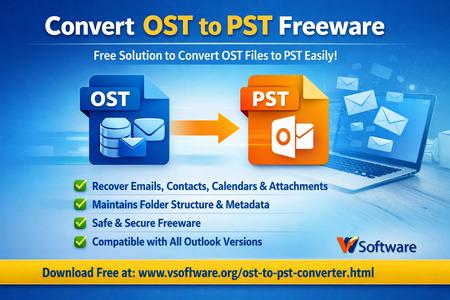
Email downtime is expensive—especially when Microsoft Outlook suddenly stops opening, Exchange connectivity breaks, or a system crash leaves you with an inaccessible mailbox. In many of these cases, your data is still present in an OST (Offline Storage Table) file, but Outlook won’t let you access it without the original profile or server connection. That’s where a safe OST-to-PST converter tool for data recovery becomes essential. It converts OST data into PST (Personal Storage Table) format so you can restore emails and other mailbox items in Outlook—securely and with minimal risk of data loss.
This guide explains what an OST-to-PST converter does, when you need it, what “safe conversion” actually means, and how to choose the right tool for reliable recovery.
What Is an OST File and Why Does It Become Inaccessible?
An OST file is created when Outlook is configured with Exchange, Microsoft 365, or IMAP accounts using cached mode. It stores a synchronized copy of mailbox data locally so you can work offline. Normally, Outlook connects to the server and keeps the OST updated in the background.
Problems start when the OST loses its original environment. For example:
-
The Exchange/M365 account is deleted, disabled, or migrated
-
The Outlook profile is corrupted or removed
-
The server is down, or the credentials can’t be validated
-
A workstation is damaged, replaced, or reimaged
-
The OST is orphaned after a domain change or a tenant migration
In these situations, Outlook may show errors such as “Cannot start Microsoft Outlook,” “The set of folders cannot be opened,” or it may simply refuse to load the data. A safe converter extracts mailbox content from OST and exports it to PST so you can access it again.
Why a Safe OST to PST Converter Matters for Data Recovery
Data recovery isn’t just “conversion.” It’s a process where preserving integrity is everything. A safe OST to PST converter tool is designed to recover mailbox items without altering the source file or damaging metadata.
Here’s what “safe” typically implies in a recovery-grade tool:
1) Read-only processing of the OST
A good tool reads the OST without modifying it. This reduces the chance of corruption and keeps the original file intact for reprocessing if needed.
2) Complete mailbox item recovery
Safe conversion should handle more than emails. It should recover:
-
Emails and attachments
-
Contacts, calendars, tasks, notes, journals (where applicable)
-
Sent items, drafts, and custom folders
-
Inline images and formatting
3) Metadata preservation
For compliance and search accuracy, you want to keep:
-
Sender/recipient fields (To, Cc, Bcc)
-
Original timestamps (sent/received)
-
Subject lines, flags, categories (where supported)
-
Folder structure and hierarchy
4) Protection against partial exports
Weak tools often fail on large files or stop mid-way. A safe converter should support stable processing for large OSTs and provide logs or clear status updates.
Common Scenarios Where You Need OST to PST Recovery
A converter becomes crucial when manual export isn’t possible. Typical real-world use cases include:
-
Employee exit or account deprovisioning: You still need mailbox data for handover or legal retention.
-
Exchange migration or tenant transition: Old OSTs remain on endpoints and must be recovered.
-
Outlook profile corruption: OST exists, but Outlook cannot open the profile to export.
-
System crash or hardware failure: The mailbox was cached locally and needs extraction.
-
Ransomware recovery workflows: After cleanup, you may need to rebuild Outlook but still have OST data.
In all these cases, a safe converter acts as a controlled extraction method—turning locked mailbox data into a usable PST archive.
Features to Look for in a Safe OST to PST Converter Tool
If your goal is clean, dependable recovery, prioritize these capabilities:
Advanced scanning and recovery modes
Look for tools that can scan OST thoroughly and provide a preview of recoverable items. Preview is important because it confirms data visibility before export.
Selective export (granular recovery)
A strong converter lets you export specific folders (Inbox, Sent, Calendar), date ranges, or item types—useful for saving time and avoiding oversized PSTs.
Support for encrypted or password-protected OST (when possible)
Some environments include encryption or access controls. A safe tool should clearly state what it can and cannot recover and provide guidance.
Compatibility with modern Outlook and Windows versions
Your exported PST should open cleanly in supported Outlook editions, including recent Microsoft 365 desktop builds.
Integrity checks and error handling
The tool should be resilient against bad sectors, partial file damage, or minor corruption—recovering maximum data rather than failing early.
How the OST to PST Recovery Process Works
Most professional tools follow a structured pipeline:
-
Add an OST file
You load the OST from disk (workstation backup, old profile folder, or extracted image). -
Scan and index
The software reads mailbox tables, message headers, attachments, and folder maps. -
Preview and validate
You verify emails, calendars, and contacts before export—confirming content is intact. -
Choose export settings
Pick PST output location, select folders, and apply filters (date, sender, etc.). -
Export to PST
The tool writes a new PST file that can be imported/opened in Outlook.
This workflow is why “safe conversion” is repeatable and verifiable—especially when preview and logs are included.
Best Practices for Safe OST to PST Data Recovery
Even the best tool benefits from good recovery hygiene:
-
Work on a copy of the OST (not the only original file)
-
Store OST and output PST on a stable drive with enough free space
-
Avoid interrupting the scan/export on large files
-
Validate the exported PST in Outlook (spot-check folders and attachments)
-
Maintain a documented chain of custody if the mailbox is legally sensitive
Final Thoughts
A safe OST to PST converter tool for data recovery is the quickest path to regaining access to mailbox data when Outlook or Exchange can’t. The right tool preserves folder structure, recovers emails and attachments accurately, and keeps your original timestamps and metadata intact—without risky manual workarounds. Whether you’re handling a broken Outlook profile, a deactivated Microsoft 365 account, or an orphaned OST from an old system, reliable conversion ensures your business-critical communication stays recoverable, accessible, and audit-ready.
Categorias
Leia mais
De randm digital box 12000 belgië is een populaire keuze voor gebruikers die op zoek zijn naar een moderne en gebruiksvriendelijke vape met een hoge capaciteit. Dankzij het stijlvolle ontwerp, het digitale scherm en de lange levensduur is dit model een uitstekende optie voor zowel ervaren als nieuwe gebruikers. In België groeit de vraag naar deze vape voortdurend, omdat veel...

Many people around the world enjoy playing lottery games because they offer excitement, entertainment, and the possibility of life-changing rewards. Some players enjoy the thrill of selecting numbers, while others like exploring patterns, routines, and different playing strategies. Although lottery games are based mainly on chance, many people search for smarter ways to approach the game...

Polymer Dispersions Market Witnesses Strong Growth Driven by Rising Demand in Coatings and Adhesives The global Polymer Dispersions Market is experiencing notable expansion as industries increasingly adopt sustainable and high-performance materials. The Polymer Dispersions Market size was valued at USD 10.61 billion in 2024 and is expected to reach USD 17.90 billion by 2032, growing...

Non-surgical body contouring has become one of the most popular aesthetic treatments worldwide, and CoolSculpting Fat Freezing in Dubai is leading the trend. Many individuals today are looking for effective ways to eliminate stubborn fat without surgery, long recovery times, or discomfort. This innovative treatment uses controlled cooling technology to freeze and remove fat cells naturally...

Nohu Win là một trong những nhà cái cá cược trực tuyến đáng tin cậy và uy tín nhất tại Việt Nam, mang đến cho người chơi một sân chơi giải trí hiện đại, an toàn và hấp dẫn. Với sự kết hợp hoàn hảo giữa công nghệ tiên tiến, sản phẩm đa dạng và dịch vụ chuyên nghiệp,TRANG CHỦ...