


Step by Step Process for IMAP to IMAP Migration in 2026
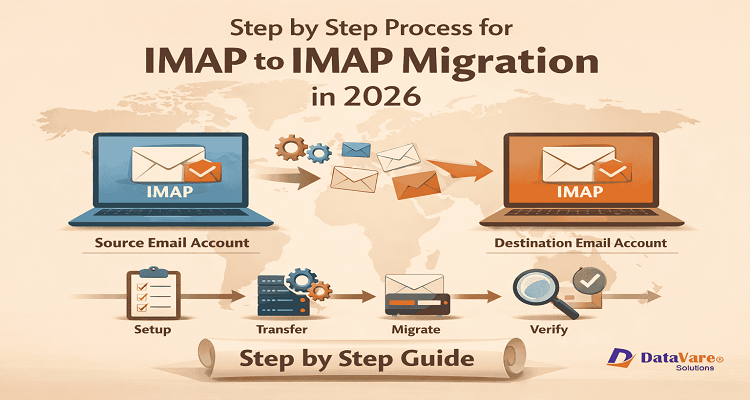
Introduction
Email is important for both people and corporations. A lot of people switch email providers to acquire more storage, better security, and better performance. IMAP to IMAP migration is one of the most common ways to properly migrate emails from one IMAP account to another throughout this process.
IMAP lets people get their emails straight from the mail server. This implies that emails stay on the server, but users can see them from other devices. This functionality makes it feasible to shift emails from one IMAP account to another without losing crucial messages. If you do things the right way, the IMAP to IMAP email migration procedure can be done safely and without too much trouble.
What is IMAP to IMAP Migration and How Does It Work?
IMAP to IMAP migration is the process of migrating emails from one IMAP email account to another IMAP email account. This operation migrates emails, folders, and attachments from the source inbox to the destination mailbox.
IMAP access is supported by a lot of prominent email services. This includes Gmail, Yahoo Mail, Outlook, and a lot of commercial email hosting sites. Emails can be sent directly across servers because both accounts utilize the same protocol.
People often employ this kind of migration when they switch email providers or when a company migrates its mailboxes to a new server.
Why Do People Migrate Emails Between IMAP Accounts?
There are a number of reasons why people migrate from one IMAP account to another.
One reason people do this a lot is to migrate to a better email hosting service. Some providers have greater storage capacity, better security, or faster speeds.
When companies upgrade their email systems, they also migrate their emails. Switching to a new mail server can make communication systems better and make it easier to manage your email.
Another motive is to combine accounts. Some people choose to have all of their emails in one location instead of having to deal with different accounts.
When employees relocate to a new domain or when corporations switch email platforms, they often transfer emails between servers.
How to Perform IMAP to IMAP Migration (Manual and Automated)
Most of the time, there are two approaches to do this kind of IMAP mail migration. Users can conduct it manually or with an automated tool.
Manual Method
Using an email program like Microsoft Outlook or Thunderbird is frequently part of the manual way. During this step, the email client adds both the source and destination email accounts.
After adding the accounts, users can migrate emails from one mailbox folder to another. The client then sends the emails and syncs the data with the mail servers.
Basic manual steps:
- Put the source IMAP account into an email client.
- Add the IMAP account for the destination in the same client.
- Open the folders in the mailbox of the originating account.
- You can copy or drag emails to the folders in the destination inbox.
- Wait till the process of syncing is done.
This method works for small mailboxes, but it could take a long time if there are a lot of emails. It can potentially take longer if the internet goes down.
Automated Method
An automated method can help make the migration process easier, especially if the mailbox is big. A lot of people select this option since it cuts down on the amount of work they have to do by manually and helps them transfer emails in an organized fashion. Here are the easy procedures that most people follow when using an automated migration service.
- Install the Tool: Get a dependable mail migration tool software and open it on your computer.
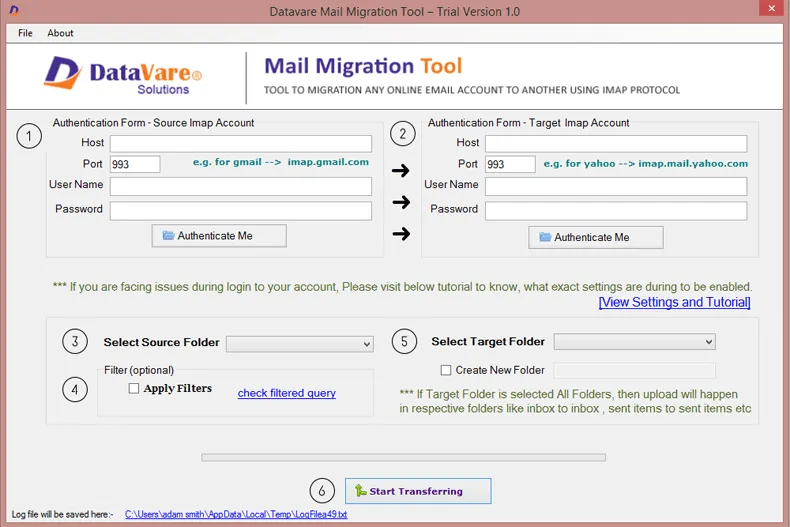
- Add Source Account: Type in the login information for the IMAP email account you want to use as a source.

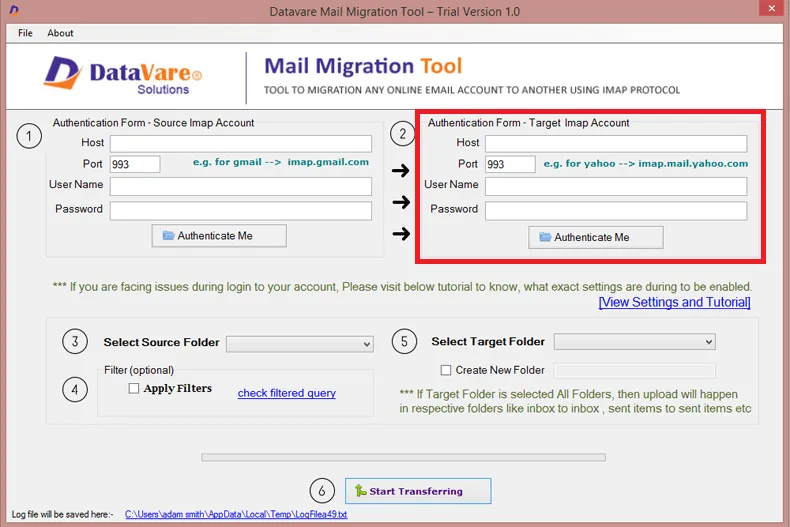
- Add Destination Account: Enter the login information for the IMAP account you want to send to.
- Choose Mailbox Folders: Pick the folders or the whole mailbox that you want to migrate.
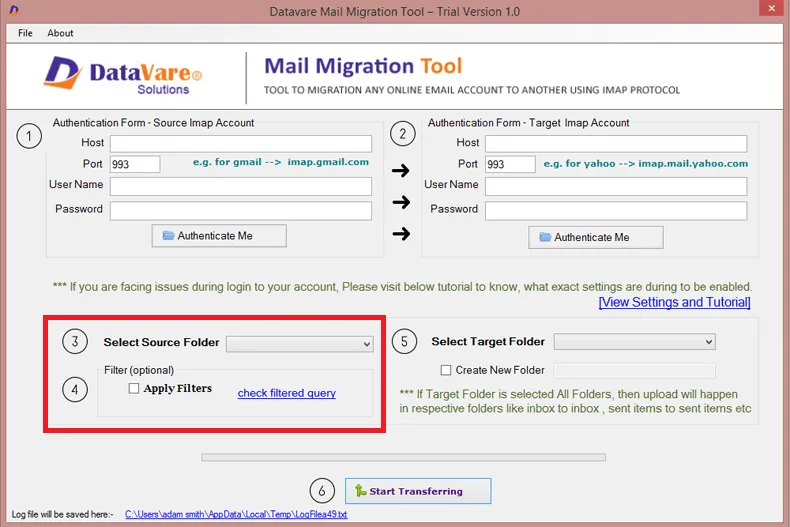
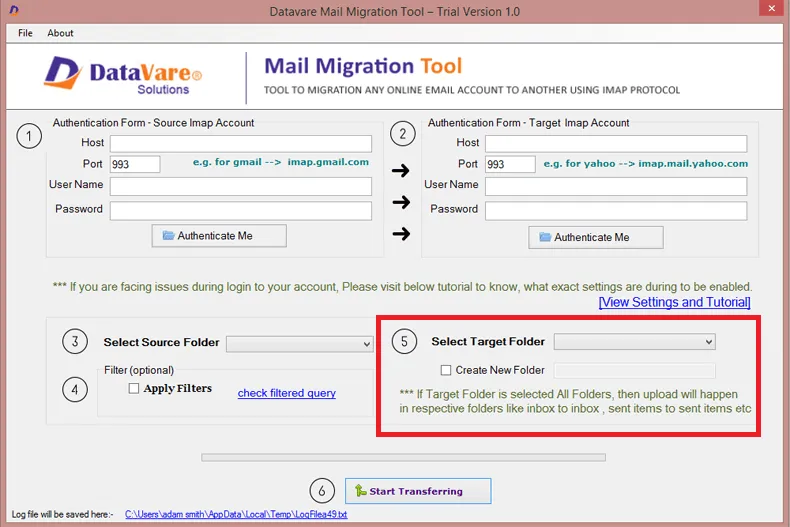
- Select the Target folder: Choose the folder where you like to save your data.
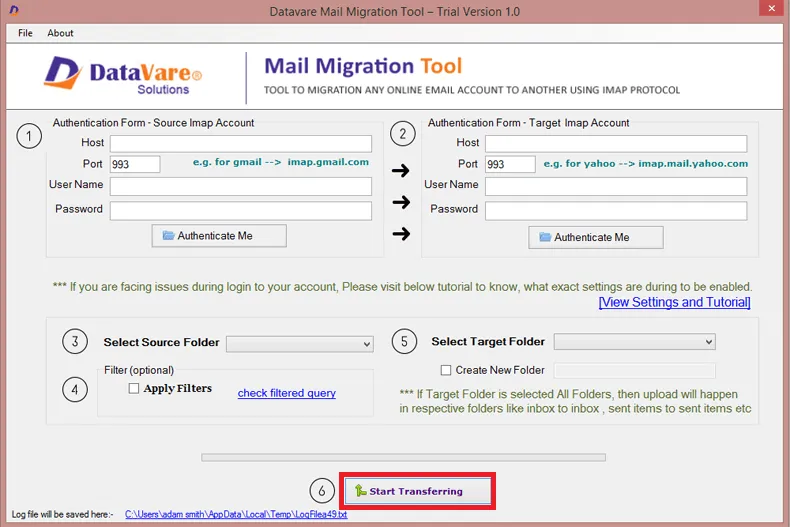
- Start Migration: Begin the process of migrating IMAP emails from one account to another.
Which Method is Better?
There are pros and cons to both manual and automated procedures. Most of the time, the best decision relies on how big the mailbox is and how many accounts are involved.
For personal users who only need to migrate a few emails, the manual method might work. You don't need any extra software to perform it, and you can do it using a regular email client.
When the mailbox is large or there are a lot of accounts to migrate, though, the automated technique is often better. Using automated technologies can make the process go faster and lower the risk of missing emails.
Automated solutions are often employed in the corporate world since they save time and make the transfer process easier.
Things to Consider Before Starting IMAP to IMAP Migration
There are a few crucial things that users should remember before they start the IMAP to IMAP migration.
First, make sure that both the source and destination email accounts have IMAP access turned on. You can't do the migration without IMAP access.
Second, double-check that you have the right server information, such as the IMAP server address, port number, and login information.
Cleaning out the mailbox before moving it is also a good idea. Getting rid of emails that you don't need will speed up the migration process and help you keep your new mailbox organized.
Internet stability is also very vital. A strong and stable connection makes sure that the migration procedure goes well.
Finally, it's usually a good idea to check the mailbox that was migrated when the operation is over.
Checking essential folders helps make sure that all of the emails were migrated over correctly.
Conclusion
IMAP to IMAP migration is a safe way to migrate emails from one server to another without losing any data in the inbox. This strategy makes it easy to migrate mailbox data while keeping emails structured.
Depending on their needs, users can select between manual and automatic migration techniques. For modest transfers, the manual method might work, but for bigger migrations, automated tools are usually better.
Users can migrate their emails from one IMAP account to another in 2026 without losing any crucial messages or interrupting their communication if they plan ahead and do it carefully.
Frequently Asked Questions
1. Is it safe to migrate from IMAP to IMAP?
Yes, it is usually safe if done right. The migration method migrates emails from one mailbox to another without deleting the original data because the emails stay on the server.
2. How long will it take to migrate from IMAP to IMAP?
The amount of time it takes depends on how many emails there are, how big the attachments are, and how fast the connection is. Small mailboxes can migrate quickly, but big ones can take a few hours.
3. Is it possible to migrate more than one email account at the same time?
Yes, this is possible with some migration tools that let you migrate more than one mailbox at a time.
4. Will my folder structure be the same once I migrate?
During IMAP migration, the original folder structure is usually kept, which helps keep emails in order.
5. Do I need to know how to use computers to migrate IMAP to IMAP?
Most of the time, you only need to know a little bit about email settings to do a manual migration. But for people who want a simpler way, automated technologies can make things easier.
Categorie
Leggi tutto
Dubai is known for its futuristic skyline, luxury shopping, and iconic attractions, but beyond the city lies a breathtaking desert waiting to be explored. A desert safari in Dubai is more than just a tour; it’s a complete experience that blends adventure, culture, and relaxation into one unforgettable journey. Whether you’re visiting for the first time or planning a return trip,...

The industrial rainscreen cladding market refers to exterior building envelope systems designed to protect industrial structures from weather conditions while improving durability, thermal efficiency, and aesthetic appeal. Rainscreen cladding systems create a ventilated cavity between the external panel and insulation layer, helping manage moisture and enhance...
If you’ve been wandering around in Grow A Garden, chances are you’ve noticed the Blood Owl pet and wondered whether it’s worth adding to your collection. As someone who’s spent a good chunk of time raising different pets, I’ve had the chance to test this little nocturnal companion extensively. In this guide, I’ll break down its strengths, weaknesses, and a...

There will always be times when you need help when you use any online platform a lot. It's possible that something isn't working right, or you just have a quick question. That's when support becomes very important. You're not the only one looking for the lotus365 customer care number. A lot of people want to be able to easily get in touch with support and have their problems fixed quickly. In...

Europe Cosmetic Pigments and Dyes Market According to the latest report published by Data Bridge Market Research, the Europe Cosmetic Pigments and Dyes Market The Europe Cosmetic Pigments and Dyes market size was valued at USD 2.53 billion in 2024 and is projected to reach USD 3.42 billion by 2032, growing at a CAGR of 3.9% during the forecast period. This growth is...