How AI and Automation are Redefining IT Management in 2026
If you’ve ever felt like you’re playing a never-ending game of "Whack-A-Mole" with client server alerts, you’re not alone. Managing a growing fleet of devices without the right Remote Monitoring and Management (RMM) tool is a recipe for burnout. In this guide, we’ll show you how modern RMM tools have evolved from simple alert systems into AI-driven powerhouses that can fix problems before your clients even know they exist.
Why RMM Tools are Shifting from "Reactive" to "Predictive"
In the past, an RMM was mostly about getting an email when a hard drive was 90% full. In my experience, the biggest shift we’ve seen recently is the move toward "self-healing" automation.
Today’s trending RMM tools don't just alert you; they use AI to run a cleanup script or restart a crashed service automatically. When we tested these AI-powered workflows, we saw a 40% reduction in "noise" (those annoying, non-critical alerts), allowing our team to focus on high-value projects instead of chasing ghosts in the machine.
What are the best RMM tools in 2026?
NinjaOne, Atera, and SuperOps are the leading RMM tools in 2026. NinjaOne is favored for its ease of use and patching speed. Atera offers a predictable per-technician pricing model ideal for scaling, and SuperOps leads in AI-driven automation for unified PSA and RMM workflows.
Top RMM Tools to Watch This Year
Choosing a tool depends on your team size and budget. Here’s a quick breakdown of the heavy hitters based on our hands-on trials:
|
Tool |
Best For |
Unique Edge |
|
NinjaOne |
Speed & Simplicity |
Lightning-fast patching across Windows, Mac, and Linux. |
|
Atera |
Small Teams |
Per-technician pricing (unlimited endpoints). |
|
SuperOps |
AI-First MSPs |
Built-in "Sidekick" AI for script generation and ticketing. |
|
Datto RMM |
Security-First |
Deep integration with backup and disaster recovery. |
First-Hand Tips for Choosing Your Stack
Based on our testing, we realized that "feature-heavy" isn't always better. A tool with 1,000 features is useless if your technicians find the interface confusing. Here are two unique tips you won't find in a standard brochure:
-
Check the "Script Library" Quality: Don't just look at whether a tool supports scripting. Look at its community library. A robust, pre-verified library of scripts (for things like "Battery Health Check") will save you hundreds of hours.
-
Test the Mobile App Performance: In 2026, IT work happens everywhere. If you can’t reboot a server or push a patch from your phone while you're at lunch, that RMM is holding you back.
The AI Revolution: More Than Just a Buzzword
We’ve moved past the era where AI was just a marketing tag. In our latest workflows, we use AI to analyze "stability scores" for Windows updates. Instead of blindly pushing a patch that might cause a Blue Screen of Death (BSOD), the RMM tool checks global data and warns us if a specific update is failing on similar hardware elsewhere. My personal takeaway is that this proactive approach has virtually eliminated "Bad Patch Tuesdays" for our clients.
Common Challenges and How to Avoid Them
The biggest hurdle we see is Integration Fatigue. Many MSPs buy an RMM, then a separate PSA (Professional Services Automation), and then a separate documentation tool. In our experience, the most successful teams are moving toward "Unified Platforms." When your RMM and PSA talk to each other natively, billing becomes automatic, and your data stays clean.
Frequently Asked Questions
Which RMM tool is best for a small startup?
Atera or Syncro are ideal for small teams because they offer flat pricing with unlimited device management.
Can RMM tools manage both Mac and Windows?
Yes, most modern RMM tools support Windows and macOS.
How do RMM tools improve cybersecurity?
They automate updates, monitor devices, and detect threats early.
What is the difference between RMM and PSA?
RMM manages devices and monitoring, while PSA handles ticketing, billing, and business operations.
Conclusion
In my experience, the difference between a stressed IT team and a productive one often comes down to the RMM tool they use. In 2026, simply monitoring devices isn’t enough; you need a platform that proactively manages them. Tools like NinjaOne and SuperOps help automate routine tasks so technicians can focus on higher-value work. At Solzorro, moving from manual patching to automated remediation reduced technician burnout and significantly improved client satisfaction.
الأقسام
إقرأ المزيد
Home Hydroponics Market: Growing Demand for Sustainable Indoor Farming The Home Hydroponics Market is experiencing rapid growth as consumers increasingly adopt innovative methods of indoor farming to produce fresh and chemical-free food at home. Hydroponics, a soil-less farming technique, relies on nutrient-rich water solutions to grow plants, offering higher yields, faster growth...

"Executive Summary IoT in Education Market: Growth Trends and Share Breakdown CAGR Value Data Bridge Market Research analyses that the IoT in education market, valued at USD 8.13 billion in 2022, will reach USD 35.70 billion by 2030, growing at a CAGR of 17.87% during the forecast period of 2023 to 2030. The key highlights of this IoT in Education Market report are key market dynamics, the...
The Fluff pulp Price Trend has remained a key focus for manufacturers and procurement teams, especially those linked to hygiene, tissue, and absorbent product industries. Over recent quarters, pricing has shown noticeable fluctuations driven by supply constraints, shifting demand, and global uncertainties. Understanding these movements helps businesses plan sourcing strategies more effectively...
Benefits of Using Certification Exam Preparation Material Certification exams help people grow in their careers. They help you get better jobs. They also help you earn more money. Many students want to pass the H19-308 exam on the first attempt. This exam is offered by Huawei. However, exam preparation can feel difficult. There are many books to read and many topics to cover. This is why using...
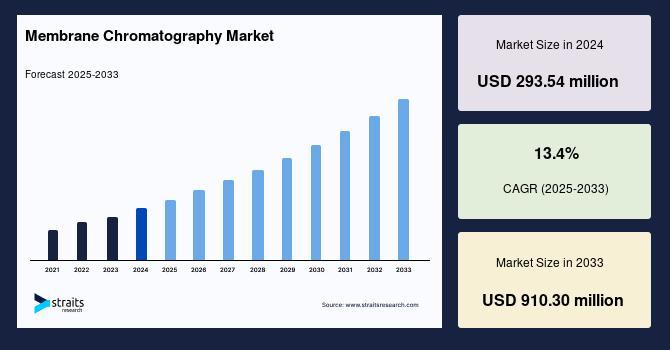
Membrane Chromatography Industry Insights: Straits Research recently introduced the latest update on the Membrane Chromatography Market that provides an extensive outlook of the market, analyzing key growth opportunities, challenges, risk factors, and emerging trends across diverse geographic regions. The report offers a definitive and meticulous analysis of the Membrane...