


BetterJoy and Dolphin: A Match Made in Gaming Heaven (or Not?)

Introduction
If you’re a fan of Nintendo’s back catalog, chances are you’ve spent some time with the Dolphin emulator. It’s a fantastic piece of software that lets you play GameCube and Wii games in glorious high definition on your PC. But while Dolphin is great at emulating the console itself, getting your controllers to work just right can sometimes be a bit of a headache. That’s where BetterJoy comes in.
BetterJoy is a popular tool designed to bridge the gap between Nintendo’s modern controllers—specifically Joy-Cons and the Pro Controller—and your Windows PC. It allows these controllers to be recognized as standard XInput devices, which makes them compatible with a wide range of games and emulators. But how well do BetterJoy and Dolphin actually play together? Let’s dive in and find out.
The Case for BetterJoy and Dolphin
For many users, using Dolphin with BetterJoy is a seamless experience. Once you’ve secured your BetterJoy download, the setup is relatively straightforward. BetterJoy handles the heavy lifting of translating the Joy-Con or Pro Controller’s inputs into something Dolphin can understand.
One of the biggest advantages of this setup is the ability to use your Nintendo controllers natively. If you’re playing a Wii game that relies heavily on motion controls, having your Joy-Cons working correctly is a game-changer. BetterJoy’s ability to pass through motion data to Dolphin means you can swing, tilt, and point your way through your favorite Wii classics just like you did on the original console.
The Potential Pitfalls
However, it’s not always smooth sailing. Some users have reported issues when trying to get the two to work together. Common problems include input lag, disconnects, or Dolphin failing to recognize the controllers altogether. These issues can often be traced back to Bluetooth connectivity problems or conflicts with other controller drivers.
Furthermore, while BetterJoy is excellent, it’s not the only way to get your Nintendo controllers working on an emulator. For instance, if you're exploring other emulation platforms, you might be interested in learning how to connect Joy-Cons to Ryujinx, which uses a slightly different approach to controller management.
Is It Worth It?
So, are BetterJoy and Dolphin a match made in heaven? For most people, the answer is a resounding yes. The ability to use the controllers these games were designed for, complete with motion controls, is a huge plus. While there can be some technical hurdles to overcome, the end result is often well worth the effort.
If you’re looking to get started, make sure you have the latest BetterJoy download and follow a reliable setup guide. With a little bit of patience, you’ll be enjoying your favorite Nintendo games on Dolphin with your trusty Joy-Cons or Pro Controller in no time.
Categorias
Leia mais
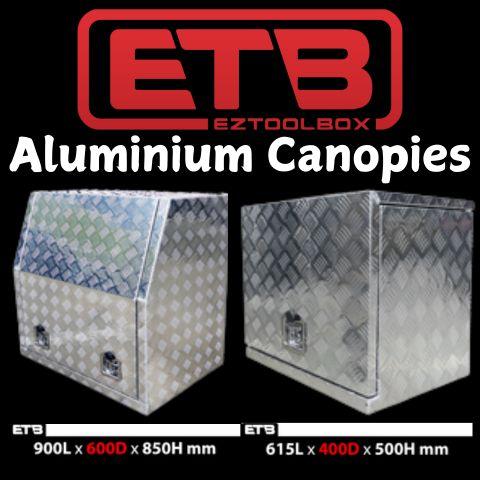
Utes are widely used by tradespeople, contractors, and outdoor adventurers because of their strength and versatility. However, to truly maximize the utility of a ute, having a secure and well-organized storage system is essential. Installing high-quality Aluminium Canopies is one of the most effective ways to improve vehicle functionality, protect equipment, and create a mobile workspace that...
Pokémon GO is undergoing a major transformation in its Trainer Battles, with the entire battle system being rebuilt from scratch to improve gameplay consistency and fairness. Niantic revealed today that this is the most significant update to the GO Battle League ever, promising far-reaching effects across PvP battles, Team GO Rocket encounters, and other combat modes. The core aim of...

In the high-velocity commercial ecosystem of London, reputation is no longer a static asset—it is a dynamic, algorithmic engine that powers business discovery. For SMEs, startups, and established professionals, the implementation of Automated Review Request Tools In London UK has transitioned from a competitive advantage to a baseline necessity for survival. As we navigate the...

YouTube offers a wide range of amazing content, like music and movie tutorials, educational videos, motivational videos, and entertainment videos. But sometimes you want to save them for offline use, and then they're not always helpful; that's when YouTube downloader and converter tools come in. These tools, like YTMP4, Y2Meta, YT1s, and many more, will provide an easy and fast video save...
The debate between Mythic dungeons and modern MMO dungeon design continues to shape how players evaluate endgame content across massively multiplayer online games, and few titles have influenced this space as strongly as World of Warcraft. Over time, dungeon design has evolved from simple, linear group instances into highly replayable, mechanically demanding systems that test coordination,...
